Run Any eRoute, in the 3D World
Pick Run, open any eRoute and run it in a 3D world built from the real planet, with runners and riders live on the same road, Group Runs, bots, ghosts and a Run leaderboard.
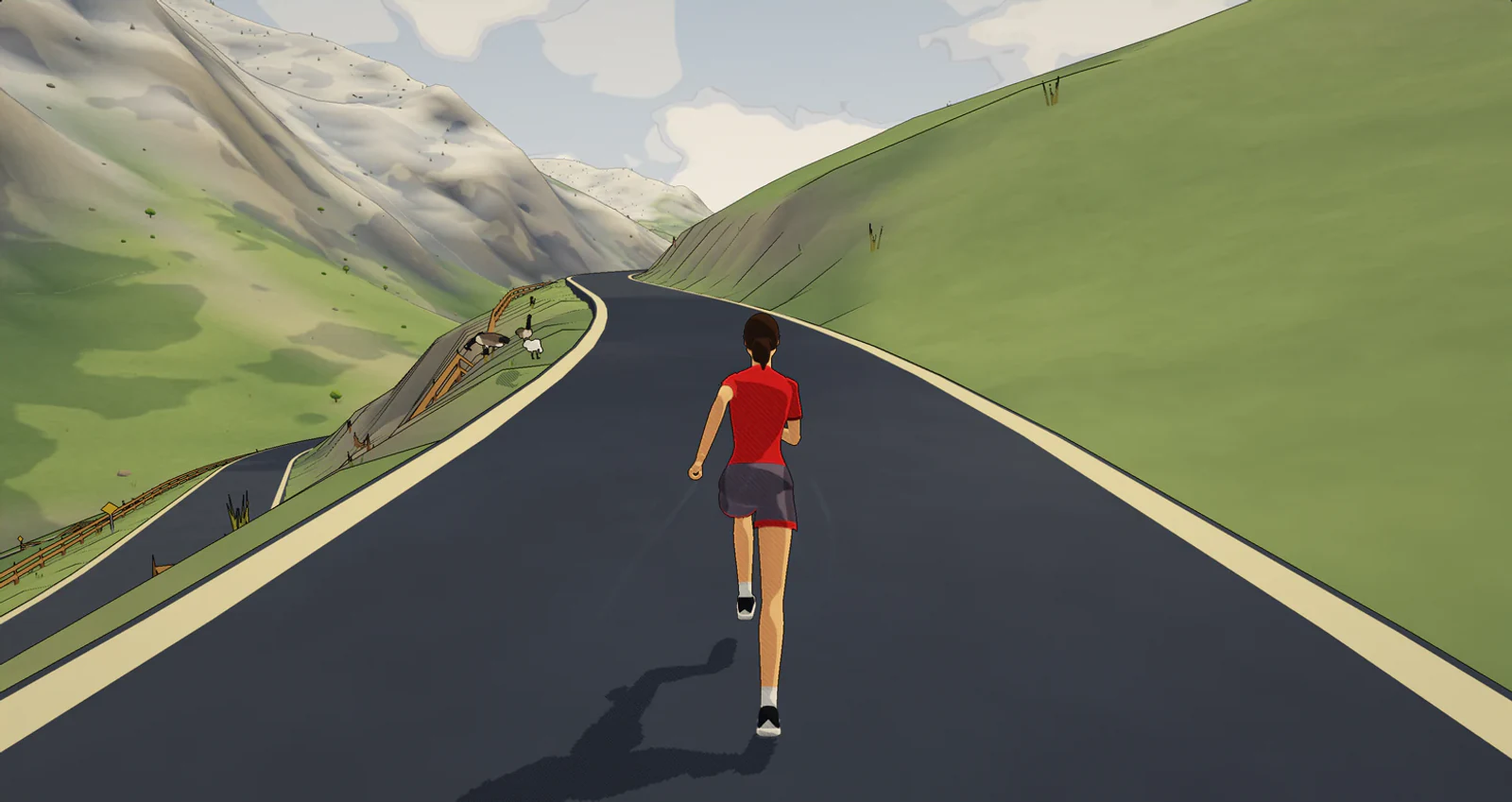
When running came to Ride Cave in October, it lived on the treadmill screen: structured runs, the speed to set, and the incline handled for you. Today running steps into the world. Pick Run, open any eRoute, and run it in the same 3D world our riders use, built from the real planet, with day rolling into night and weather moving through.
It is free for everyone, like the rest of running.
Every eRoute is a run now
eRoutes are real roads and trails, and you can run any of them. Switch to Run, open eRoutes, and the Running filter shows the routes built for running, while All shows every eRoute, with those first. Open one, connect your treadmill or footpod, and press Run. Your runner starts on the line and the clock starts at the GO.
Among them are our first running courses, inspired by three of the great city marathons: 42.2 km courses inspired by Berlin, Chicago and Valencia, a Berlin city centre half marathon, a Valencia city 10 km, and a Chicago Lakefront 5 km and mile. They are our own courses in the spirit of those races, not official race courses.
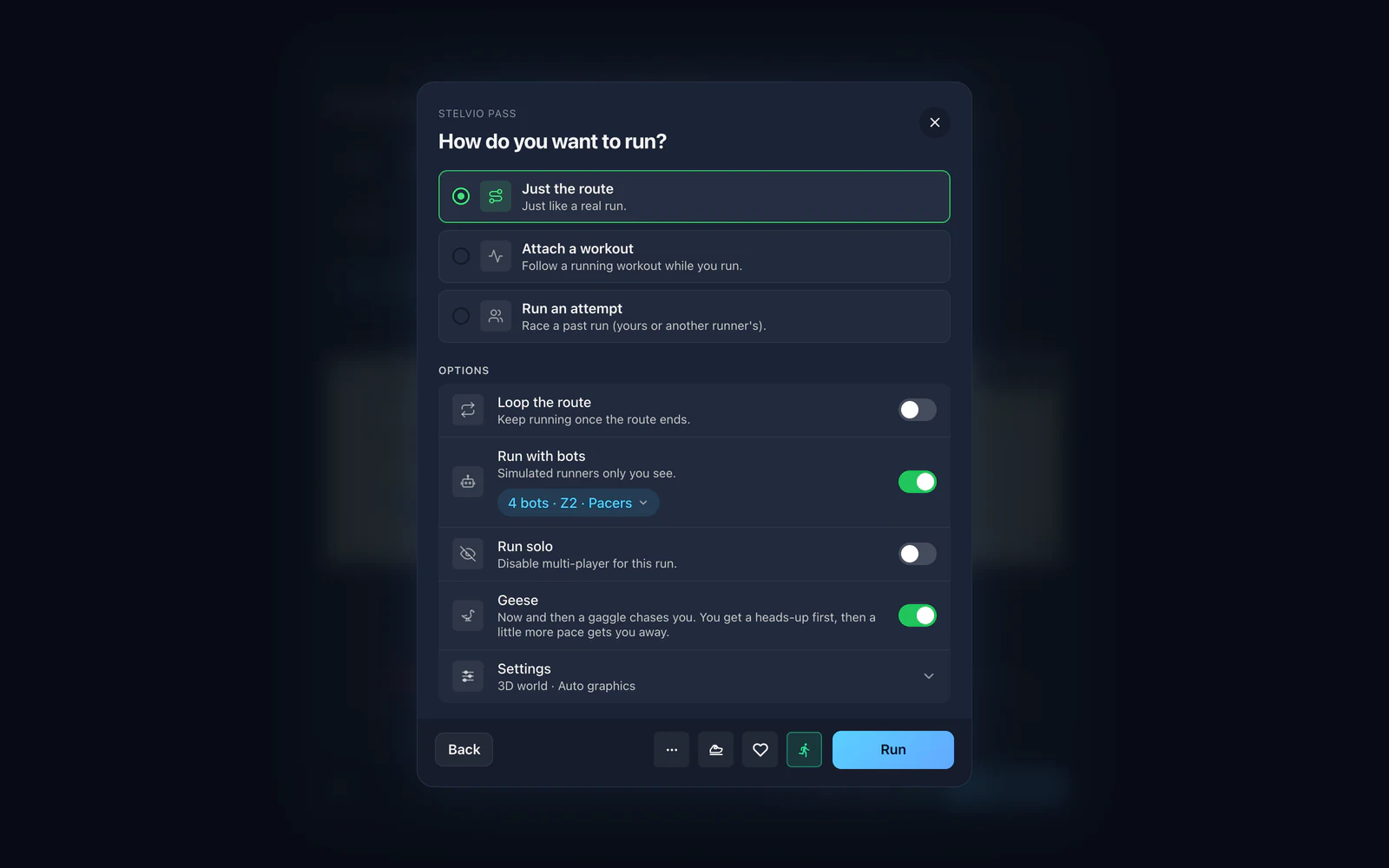
In the run setup you choose how to run it: just the eRoute, the eRoute with a running workout attached, or an attempt against a past run. You can loop the route, add bots, or run solo when you want the road to yourself. Every eRoute also shows a race-time estimate from your threshold pace, adjusted for its hills, so you know what you are taking on.
No route in mind? Open Instant, pick Instant eRoute, choose Run, and Ride Cave makes you an endless loop on the spot: pick the terrain, the distance and the intensity, and go.
Hills you can feel
On a smart treadmill that accepts incline, Ride Cave sets the deck to the road ahead as you go, up to the maximum you set. Change the incline yourself any time and the hills wait until you tap Resume. If you would rather the deck moved less often, Hill smoothing in the Running settings goes from Smooth to Detailed. Prefer the deck to stay put? Turn off Treadmill follows the hills.
Where the road climbs past what your deck is set to, the climb still counts: Ride Cave slows you in the world by the extra effort that grade would take, so a hard hill is a hard hill, on a treadmill or on a footpod. Downhills give a little speed back, conservatively. Our goal is simple: run a route on your treadmill and get a finish time you would believe outside.
Runners and riders, one road
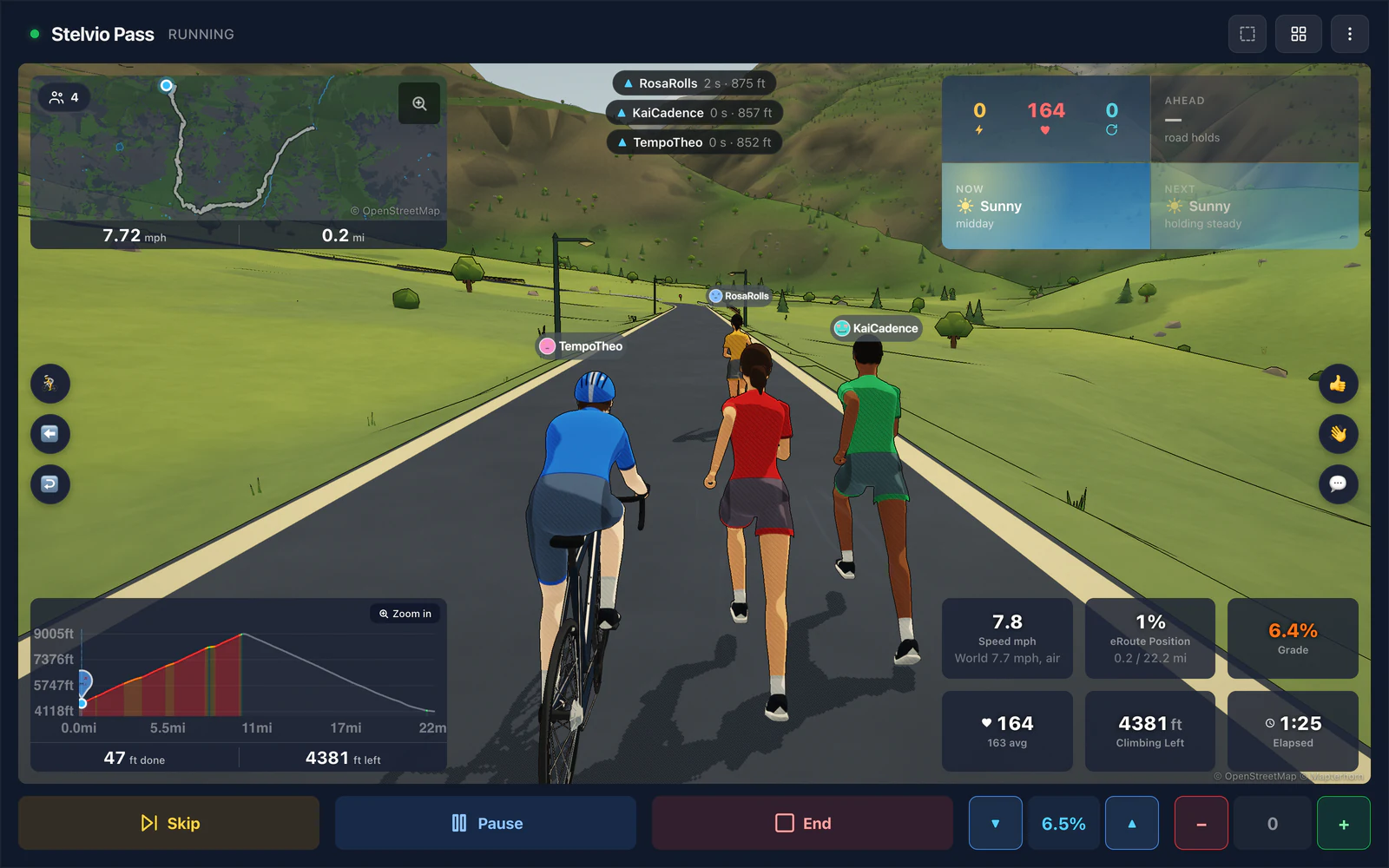
This is the part we have wanted for a long time. The runners and cyclists on an eRoute with you are really there, live, each at their own speed. A rider rolls past you on the climb, a runner you are chasing comes back to you, and everyone keeps to their own pace. Waves, quick messages and the cowbell work for runners exactly as they do for riders.
Group Runs
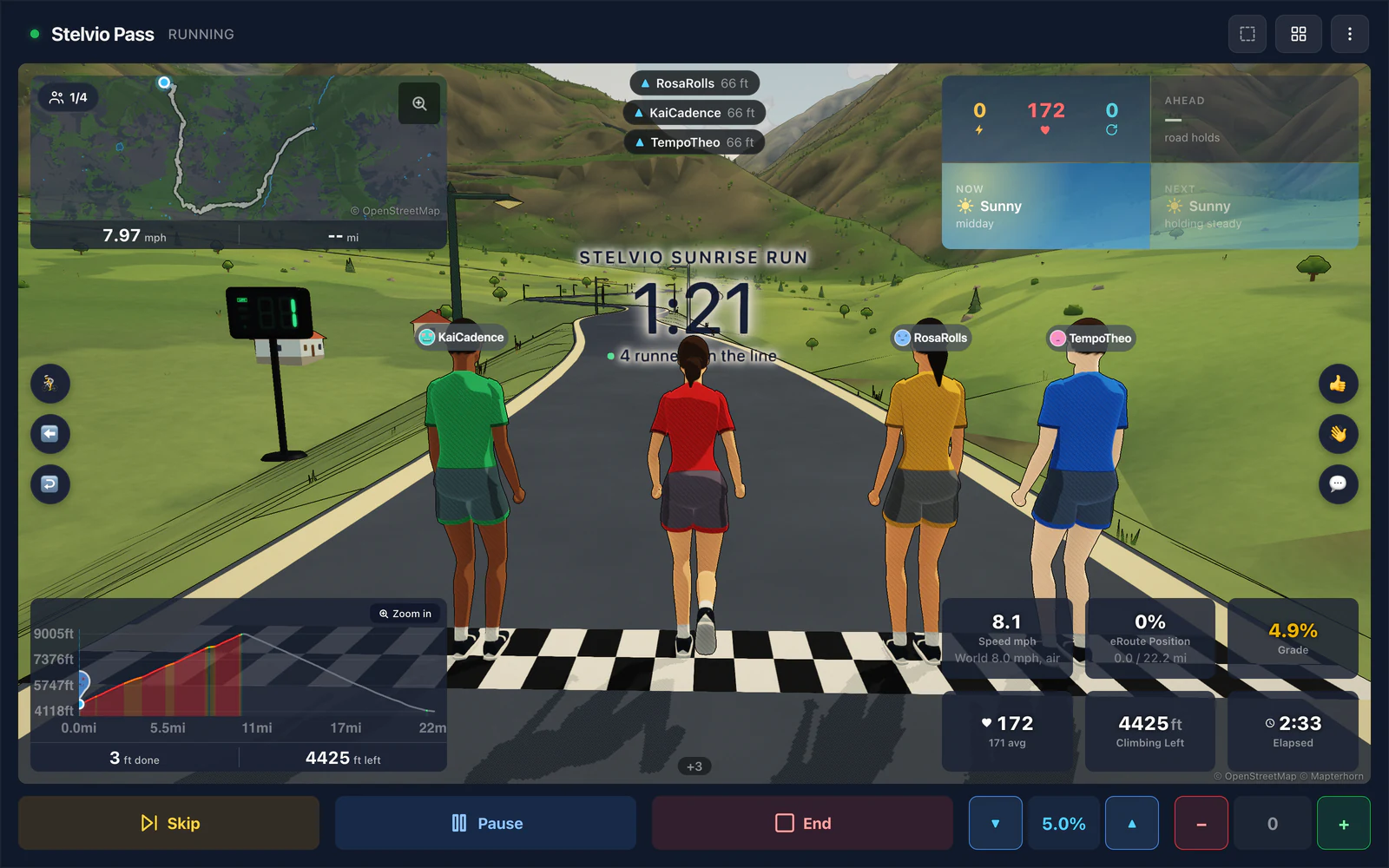
Host a Group Run on any eRoute: tap Host a Group Event on the eRoute, pick a time and invite runners. Everyone meets on a real start line, the countdown runs down, and the whole group starts together on the GO. The official finish order comes from each runner crossing the line on the run's shared clock, so it is the same on every screen.
Would rather the group stayed together? The host can turn on Keep together: runners go at their own pace while they stay near the group, and anyone who drifts too far behind or ahead is brought back to it. Nobody is placed on a Keep together run, and it stays off the route's leaderboard. The host can turn on Attack geese for the whole group, too.
Bots, a pacer and ghosts
Turn on Run with bots and simulated runners only you see join you, in the pace zone you pick or spread across the zones. They chat as they go, too. Attach a running workout and turn on the workout pacer, and a bot runs your workout's paces so you can sit on its shoulder and let it set the pace. Chasing a time instead? Add a target pacer: give it a pace, or a finish time for the route, and it runs it evenly for you to go with.
Run an attempt to race a past run as a ghost: your own best, another runner's, or, on a route made from a run file, the original run the route came from.
A Run leaderboard on every eRoute
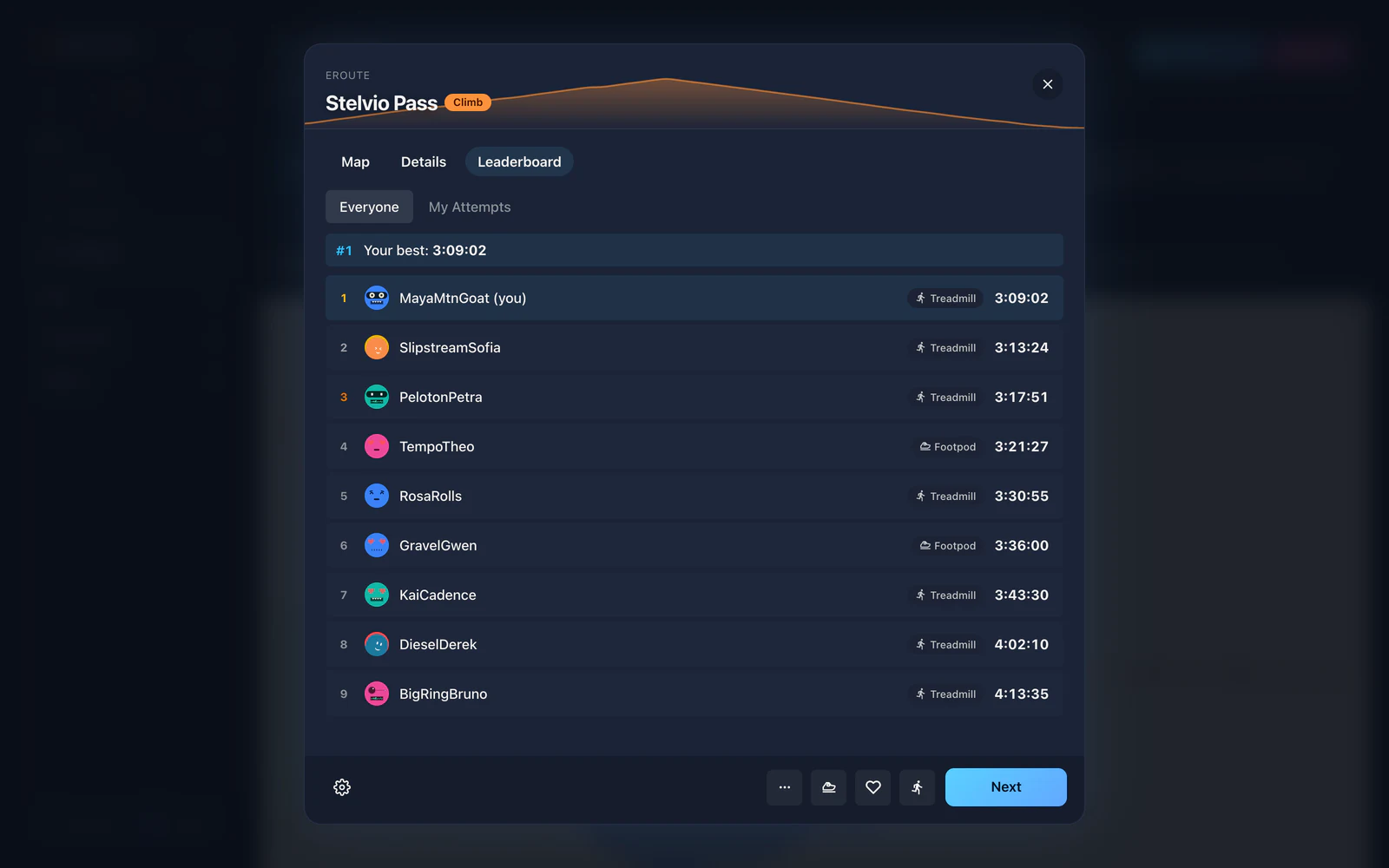
Finish an eRoute and your time goes on its Run leaderboard, kept apart from the rides, so a fast bike time never hides your running best. Each time carries a mark for the device behind it, a treadmill or a footpod. Along the way you get a split at every kilometre or mile, and the summary lists them all with your grade-adjusted pace, so a slow split on a climb reads for what it was.
And geese
Geese graze by the path on every run. For fun, turn on Attack geese in the run setup, and the ones you meet take exception to you and give chase. An alert tells you the speed to reach, then a little more pace, held for a few seconds, gets you away. The geese never touch your treadmill: escaping is up to your legs.
Get started
Open Ride Cave, switch to Run, open eRoutes and pick a route. Everything from the treadmill screen still works, and your structured runs, zones and training load are all where they were. Read more on the running page, and tell us which route you run first.