New: Cyclocross eRoutes
Cyclocross, on your trainer.
A taped lap on open ground, in the 3D world. Hop the barriers by holding the cadence on the sign, ride the stairs, fight through the sand, and sprint for a hand-up at the tape. Then make a course of your own anywhere on Earth.
Free for everyone, on every platform. The Ride Cave courses are our own laps, inspired by famous cyclocross towns. They are not official race courses and are not affiliated with any race or event.
On the course
Everything that makes cross, cross.
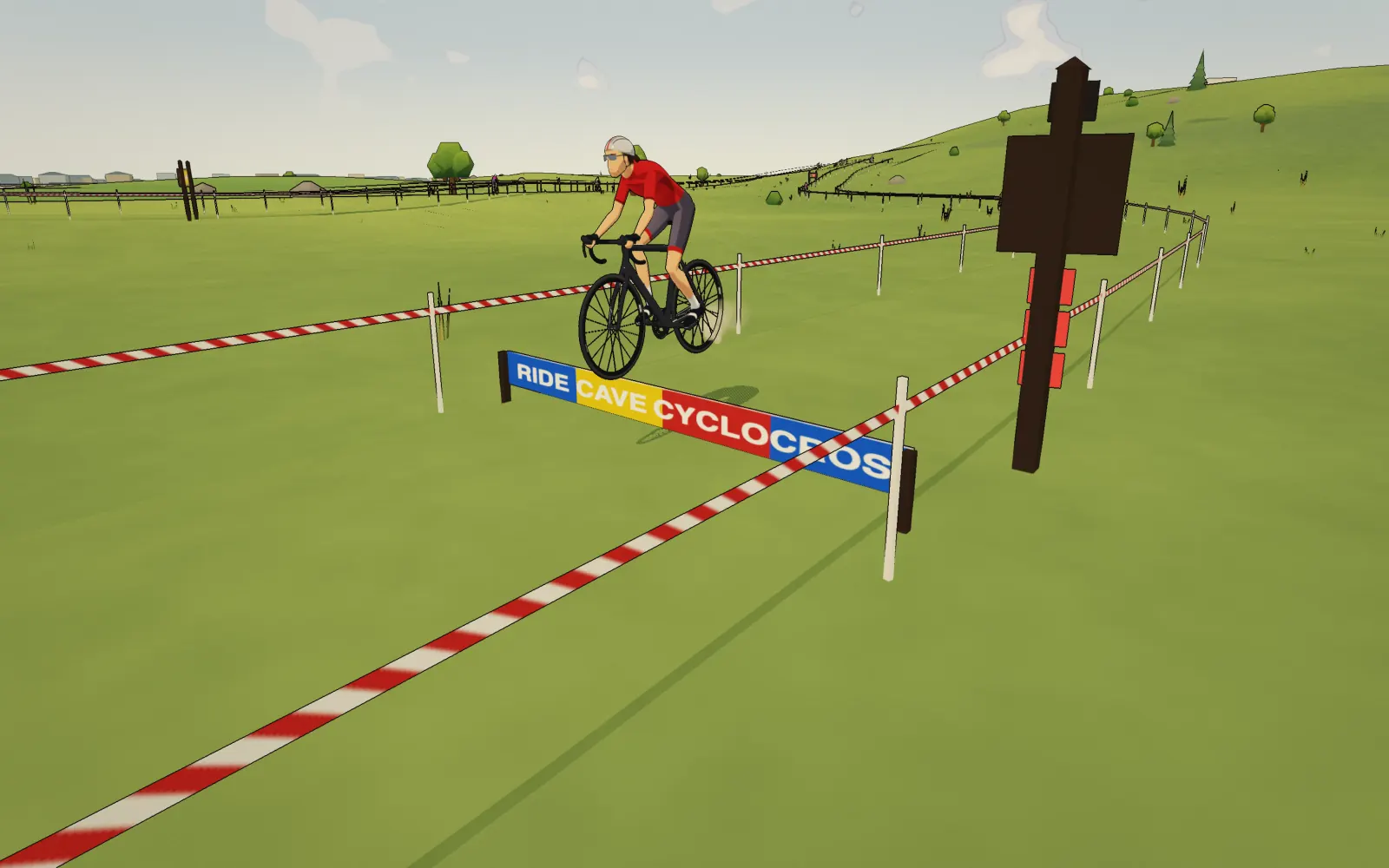
Hop the barriers on cadence.
A sign well before each set of barriers shows the cadence that clears them, a 15 rpm band somewhere from 65 to 105 rpm. A meter post at the first plank shows whether you are on it. Hold the cadence as you reach the planks and you hop them clean. Miss it and you stall; miss it carrying speed and you go over the bars.
- CLEAN, STALLED or WIPEOUT, called above your rider
- No cadence sensor? Your hops count as clean
Sprint for the hand-up.
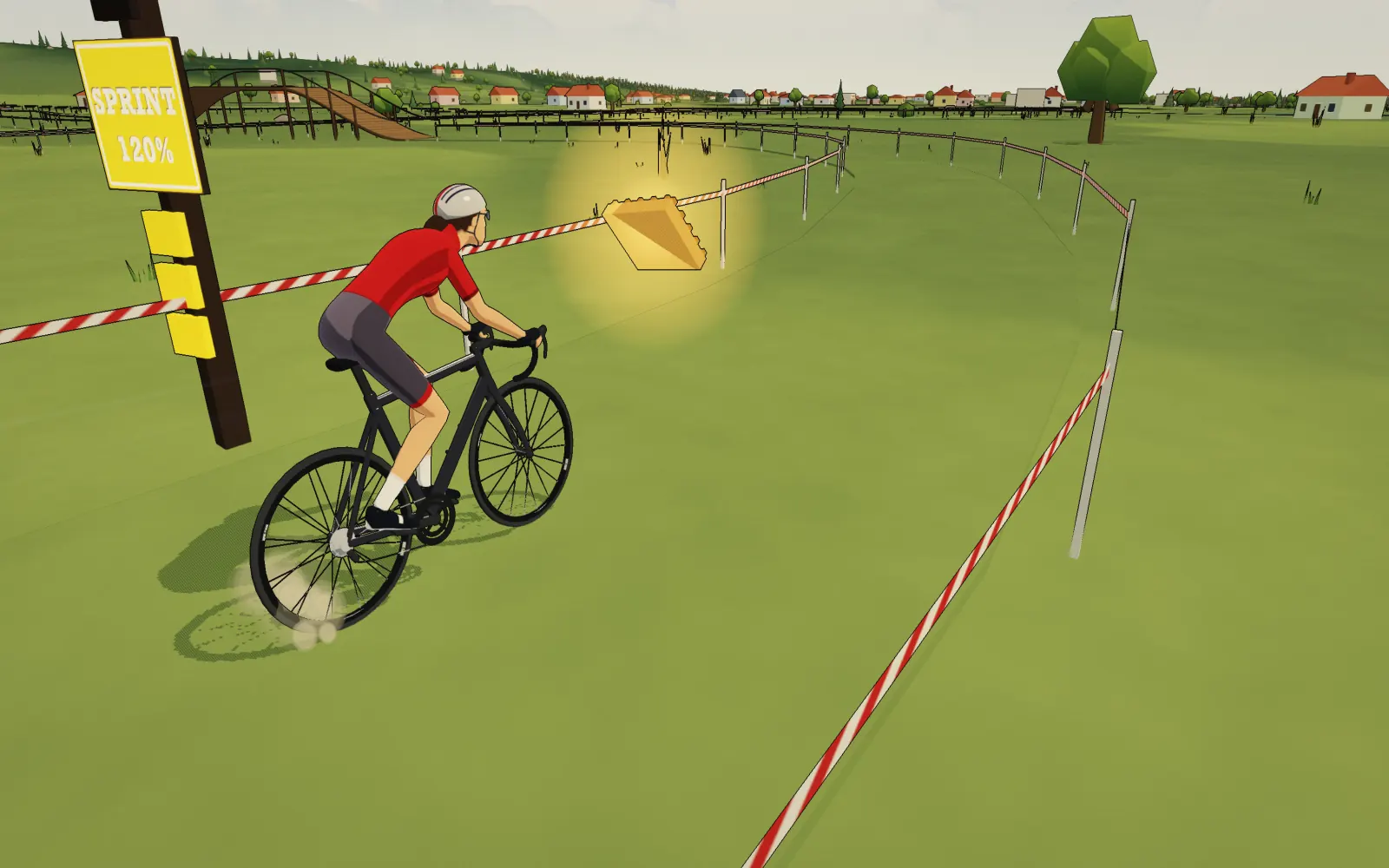
A couple of times a lap a hand-up floats beside the tape: a waffle, a cowbell, frites, a doughnut or a bottle, and once in a while a golden waffle. A sign gives you warning. Average 120% of your FTP over the last 5 seconds as you reach it and it is yours.
- About two a lap, at a sign 60 m before each one
- A hand-up earns 1 XP, a golden waffle 3
Up the stairs, over the flyover.
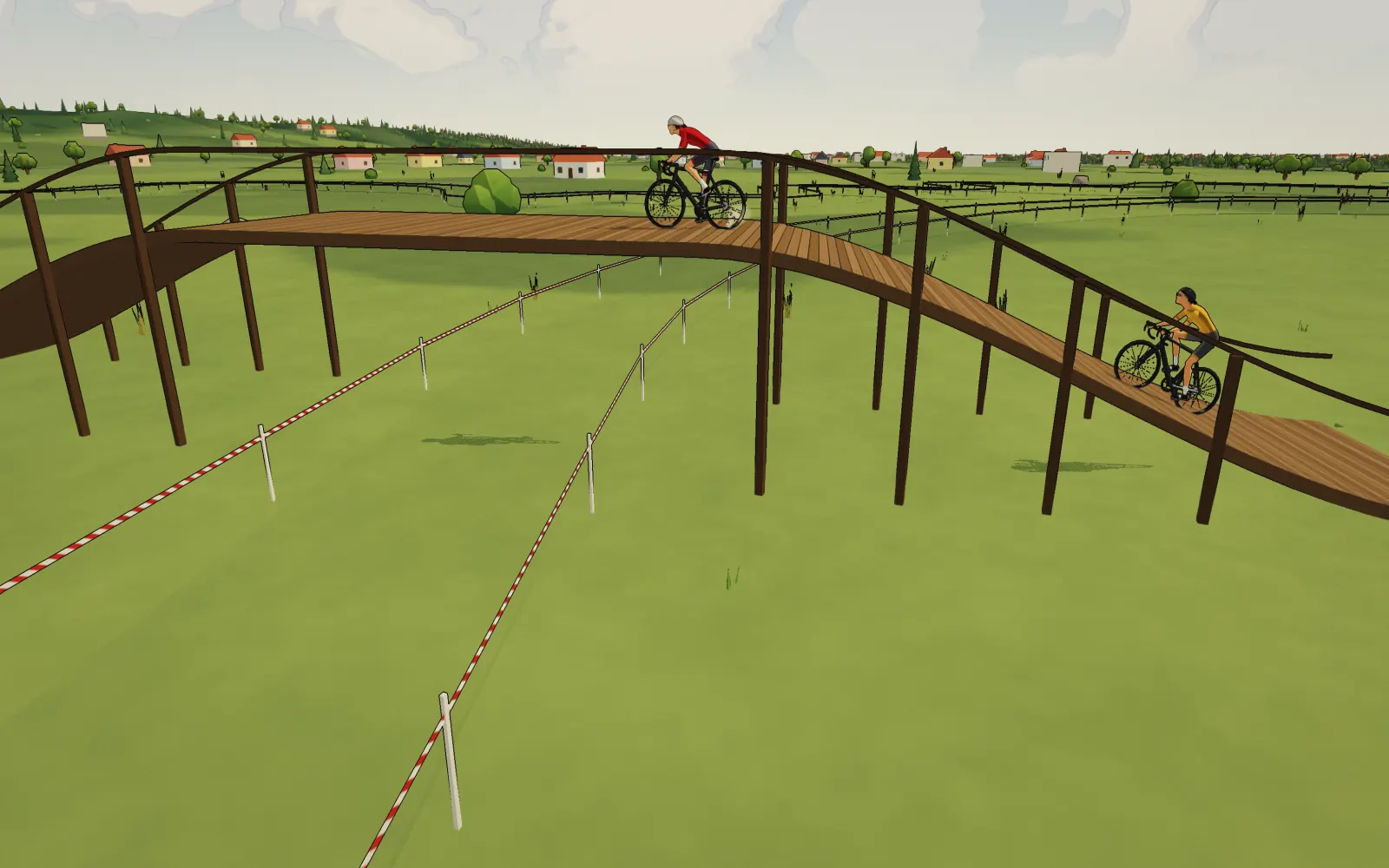
Stairs gather a steep pitch into a few hard steps that you ride, and in Sim mode your trainer feels the climb. Timber flyovers carry the lap up a ramp and back down, often over its own path.
Sand, and mud when it rains.
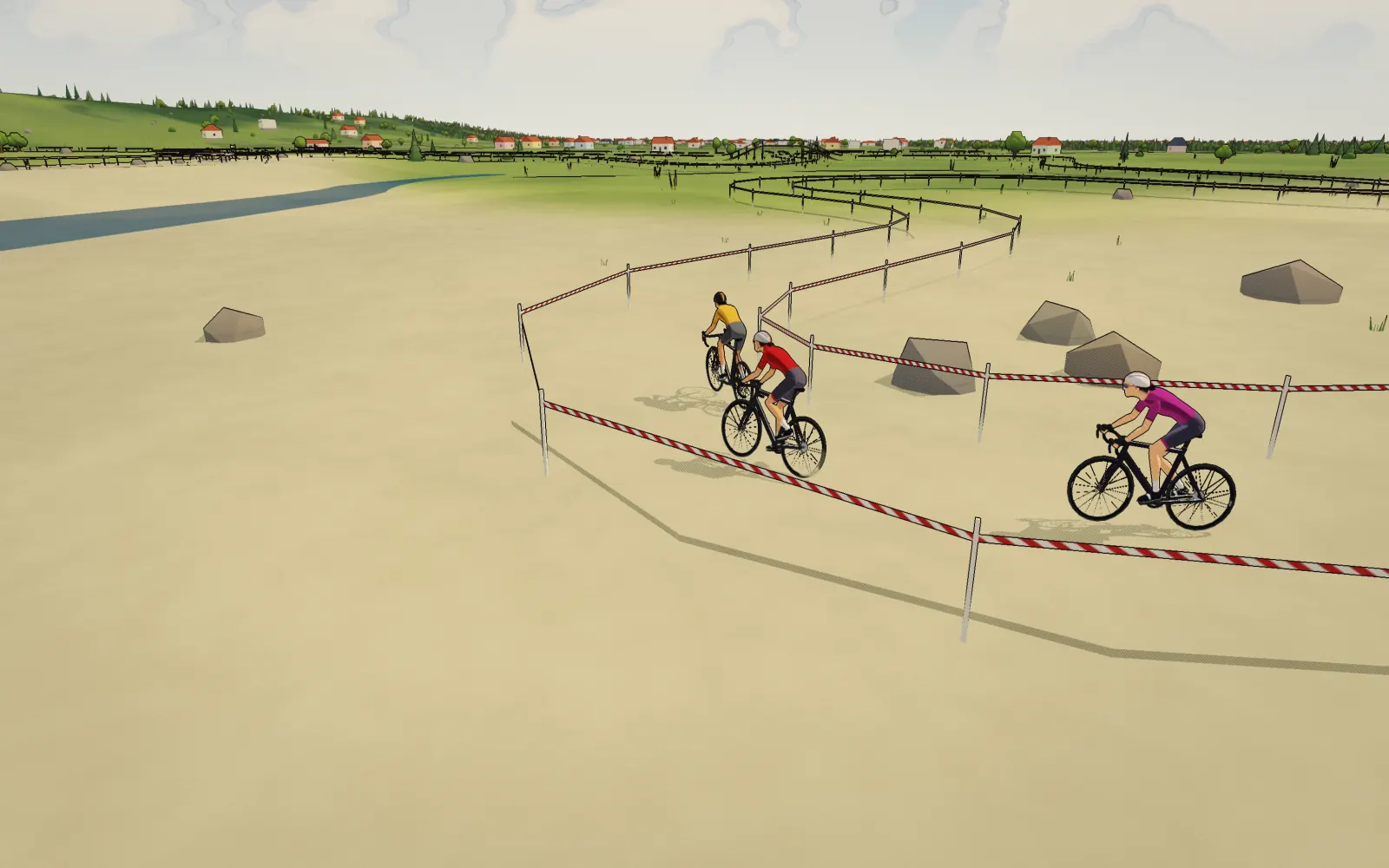
Short stretches and pits of sand slow everyone down, and in Sim mode your trainer gets heavier through them. Mud comes with the weather: when rain or snow moves over the course, its mud sections turn to mud, and they dry out again after.
Courses
Laps inspired by cyclocross towns.
17 courses from Ride Cave.
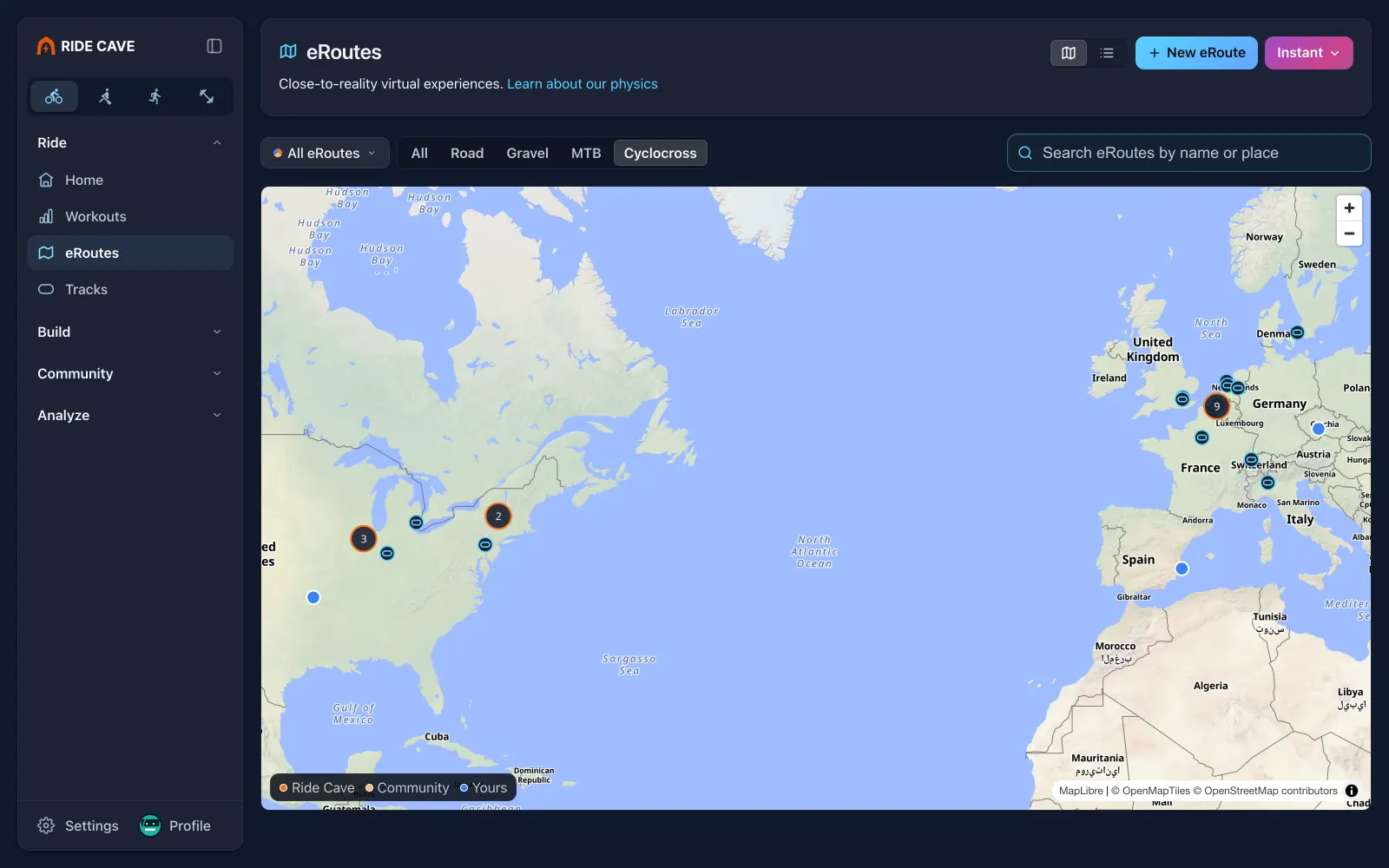
Each one is an original lap laid on open ground near a town cyclocross fans know, following the real terrain around it. They are named for the town, like CX Koksijde (inspired). They are not the official courses, and not affiliated with any race or event. Find them on the eRoutes page: pick Cyclocross, on the map or the list.
- Belgium: Baal, Gavere, Heusden-Zolder, Koksijde, Loenhout and Zonhoven
- The Netherlands: Hoogerheide and Hulst
- France, Spain and Czechia: Flamanville, Benidorm and Tabor
- The United States: Fayetteville, Gloucester, Iowa City, Louisville, Rochester and Waterloo
Ride it your way
More on every lap.
XP for clean riding
A clean set of barriers earns 1 XP, a hand-up 1 and a golden waffle 3. Mountain bike jumps landed on target count too. Course XP tops out at 20 a day.
Bring bots
Add bots at the zone you pick and race them round the tape. Only you see them.
No two alike
Each course has its own look: the colour of the tape, barriers of boards or logs, stairs of concrete, sleepers or stone.
Its own flag
The flag of the course's country flies by the start.
Preview it first
Fly through any course in 3D before you ride, and jump straight to the stairs, barriers, sand and mud.
Real ground
Every lap follows the real terrain around it, built from the same map data as the rest of the 3D world.
The new eRoute builder
Make your own course, or any eRoute.
Tap New eRoute on the eRoutes page. There are three ways in, and you can trim, tidy and fly the route before you save it.
Import a file
Bring in a GPX, TCX or FIT file. The builder finds the junk a GPS trace picks up, like circling at a light, a wrong turn and back, or the ride to and from the start, and lists each fix with an Undo.
Draw on the map
Drop pins in order and the route joins them, following roads and paths or in straight lines.
Tap a spot
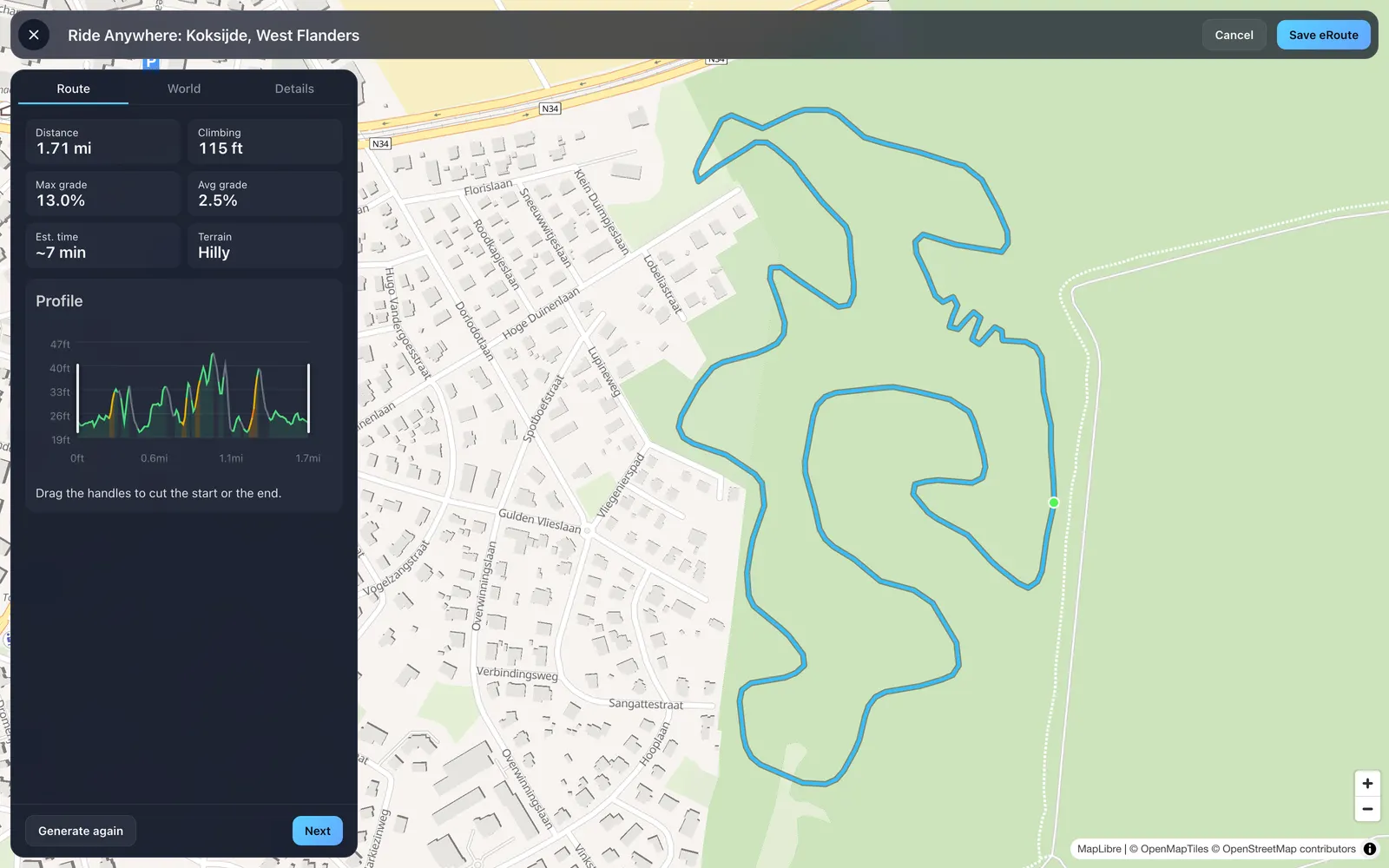
Pick a start and get a loop from there, on roads or off-road. Off-road lays a lap on open ground in a park, a field or a wood, clear of roads, water and buildings. Leave the lap on Auto or ask for 1 to 5 km.
A lap on open ground, anywhere.
Tap a spot, choose Off-road, and the builder lays a loop over the open ground nearby, keeping it off roads, water and buildings. Its distance, climbing and profile show before you go on.
Pick its type, see it in 3D.
The World tab lists each Type of eRoute with what it does. Pick Cyclocross and the tape, barriers and sand appear on your route in the 3D preview straight away.
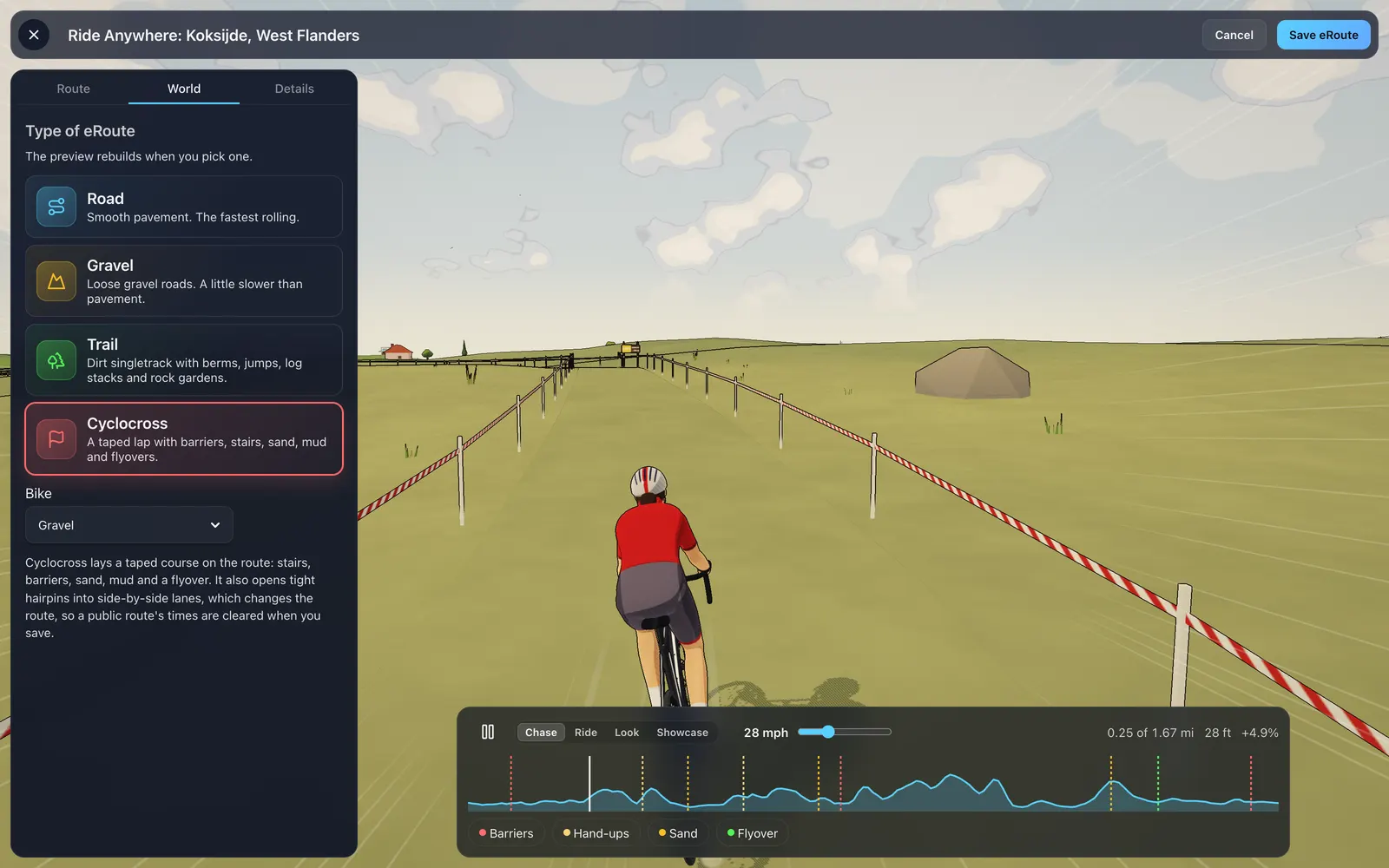
Type of eRoute
On the World tab, pick Road, Gravel, Trail or Cyclocross. Pick Cyclocross and the barriers, stairs, sand, mud and flyovers are laid along your route.
Fly it in 3D
The World tab shows your route in the 3D world as you build it, so you see the course before you save it.
Nothing silent
Every fix the builder makes is listed, and you can undo any of them.
On every eRoute
New on every route, not only cross.
The lap clock comes to every eRoute.
The green lap clock from the track stands just past the start line. On a loop with a set number of laps it counts down as you pass, so you always know how many are left.
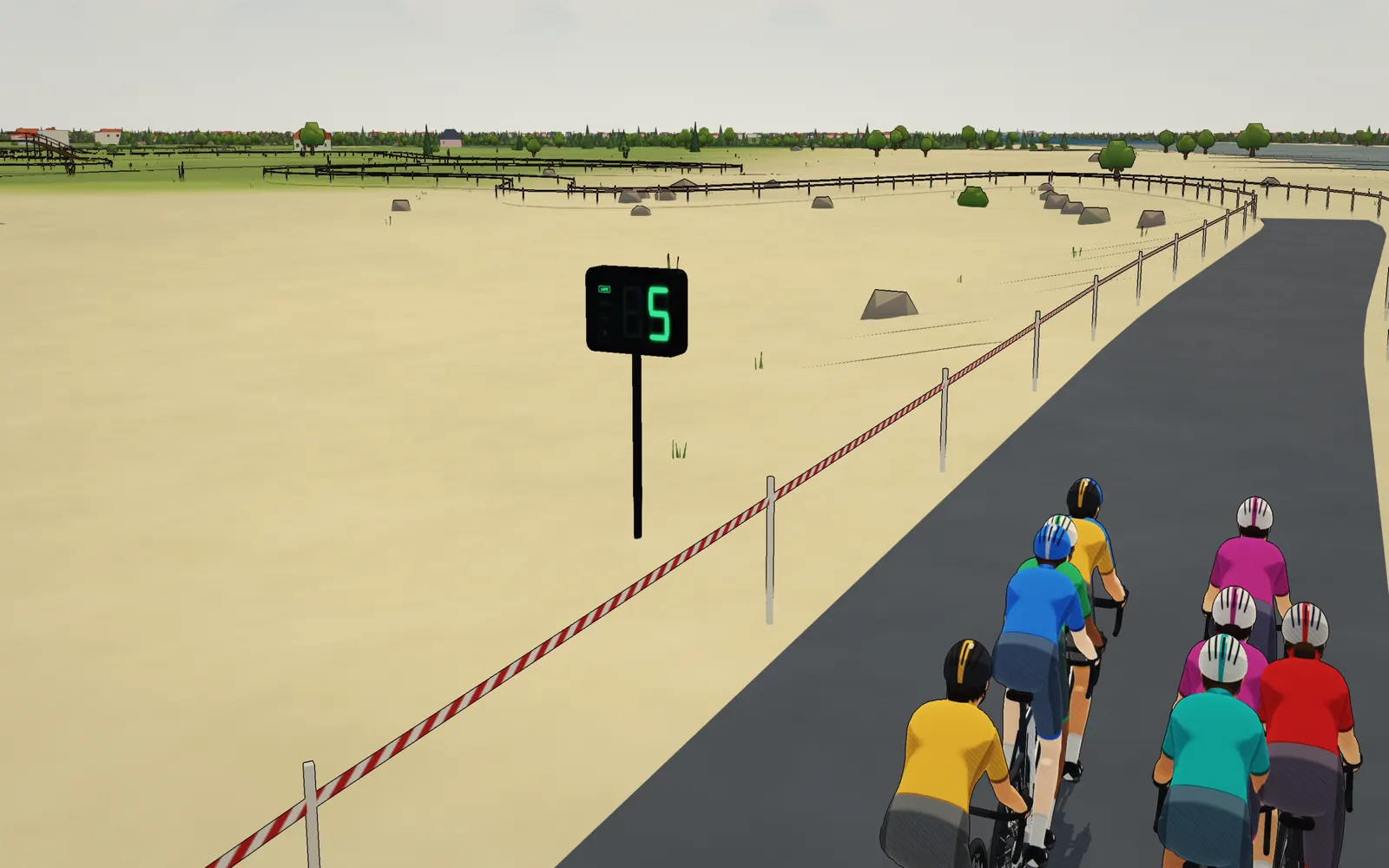
A lap clock
The track's lap clock stands just past the start line of every eRoute. On a loop it counts down the laps to go each time you pass, and the bell lights on your last lap.
Corners you can feel
In Sim mode your trainer adds a little resistance as you power out of a corner you braked for, the way a real corner exit costs you.
Preview any eRoute
Open an eRoute, tap the options button, then Preview eRoute. Drag along the elevation profile to jump anywhere, and fly at up to 150 km/h.
Get started
Your first lap.
Pick a course
On the eRoutes page, pick Cyclocross and choose a town.
Bring a lap
Import a GPX, TCX or FIT file and set its Type of eRoute to Cyclocross.
Make one anywhere
Tap a spot, choose Off-road, and the builder lays a lap on open ground.
Watch the weather
Rain brings the mud, so the same lap rides differently from one day to the next.
Keep something in reserve
You never know when a hand-up is coming. Save a sprint for it.
More dirt
Jumps, log stacks and rock gardens on Trail eRoutes.
See you at the barriers.
Cyclocross eRoutes and the new eRoute builder are part of Ride Cave, free for everyone (eRoutes you make run up to 50 miles, or 175 with Cave Crew). Pick a course, hold the cadence, and save a sprint for the waffle.