Ride Cave Now Runs
Running is now a first-class sport in Ride Cave. Connect a smart treadmill or a footpod and run structured workouts by pace or treadmill speed, with automatic incline, running zones, a threshold test, and sync to the apps you already use.
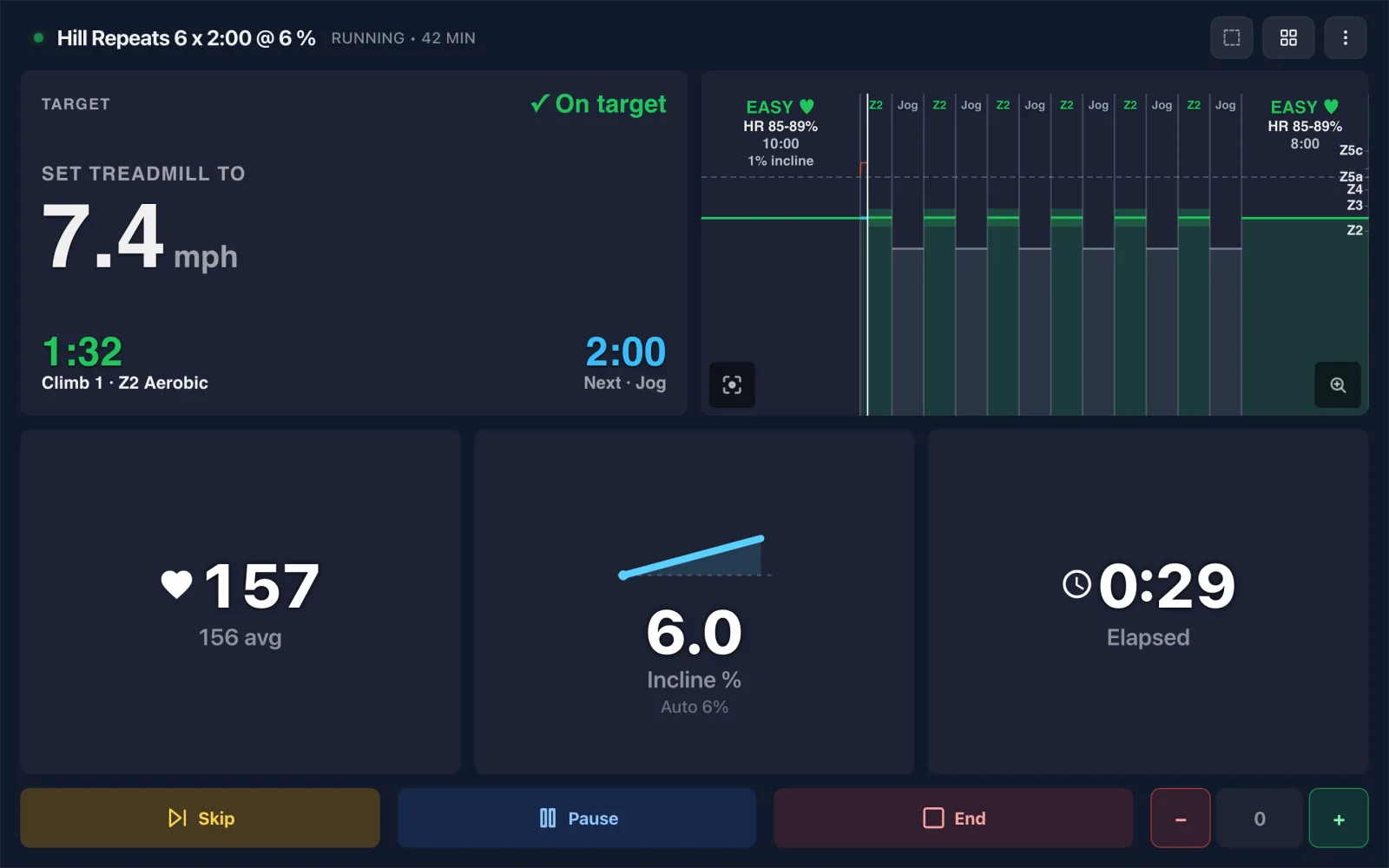
Ride Cave now runs. Connect your smart treadmill or a footpod, pick a run, and train the way runners train: by pace, by heart rate, or simply by the speed to set on the treadmill. Running has its own workouts, its own zones, its own live screen, and its own builder, and every run lands in the same training picture as your rides and rows.
It is free for everyone, on every platform Ride Cave runs on.
You set the speed. Ride Cave does the rest.
A treadmill holds whatever speed you press, so the running screen leads with exactly that: the speed to set for this step, big enough to read mid stride, and a check when the belt matches. Before every change a countdown tells you the next speed, so you are ready to press the button as the step begins. Drift well off the plan and one gentle reminder says what to set.
Ride Cave never touches your belt speed. It only ever changes the incline. On a treadmill that accepts incline commands, hill workouts raise and lower the deck for you, a few seconds early so it arrives on time. Change the incline yourself and Ride Cave leaves it alone for the rest of that step, then takes over again on the next one. Prefer to think in pace? Set Lead with to Pace in Settings, under Preferences.
Connect your treadmill or footpod
Standard Bluetooth smart treadmills connect directly, the same way your trainer does. Pair yours from the Treadmill card in Settings, under Devices. No smart treadmill? A footpod gives you pace and cadence on any treadmill: pair it from the Footpod card in the same place. On the Ride Cave desktop app, treadmills and footpods also connect over ANT+.
Which treadmills and footpods work today
As with rowing, we want to be straight with you. Tested means we have run on it ourselves or our run testers have. Supported means it speaks the standard Bluetooth language Ride Cave reads, but nobody has run on that exact model with us yet. Experimental means we built it from published details and have not checked it on a real machine.
| Device | Status | Notes |
|---|---|---|
| Horizon T101 | Tested | Speed, distance, incline, and heart rate, with automatic incline. |
| Standard Bluetooth smart treadmills (most Sole, Spirit, Matrix, and Horizon models, Technogym MyRun, Mobvoi, and others) | Supported | Automatic incline when the treadmill accepts incline commands; otherwise Ride Cave shows the incline to set. |
| Stryd and Garmin HRM-Pro footpods | Tested | Pace and cadence on any treadmill, plus running power with a Stryd. Footpods can read a few percent off the belt; connect a treadmill too and Ride Cave can check them against it. |
| Zwift RunPod, Polar Stride, and a watch broadcasting a Virtual Run | Supported | Pace and cadence over standard Bluetooth. |
| TRUE, Assault Runner, and Woodway; Kingsmith and WalkingPad; Echelon Stride; Toorx, iConsole+, and DKN; FitShow consoles | Experimental | Speed and distance. Incline is shown as an on screen cue rather than set for you. |
| ProForm and NordicTrack (iFit), Bowflex and Nautilus T series, Domyos | Not supported | These keep their data to their own apps, or their connection could change your belt or incline, so Ride Cave stays away from them. |
Have a treadmill you would like Ride Cave to support? Connect it, choose Save treadmill report on the Treadmill card in Settings, under Devices, and send us the file, or contact us with the brand and model.
A live screen built for running
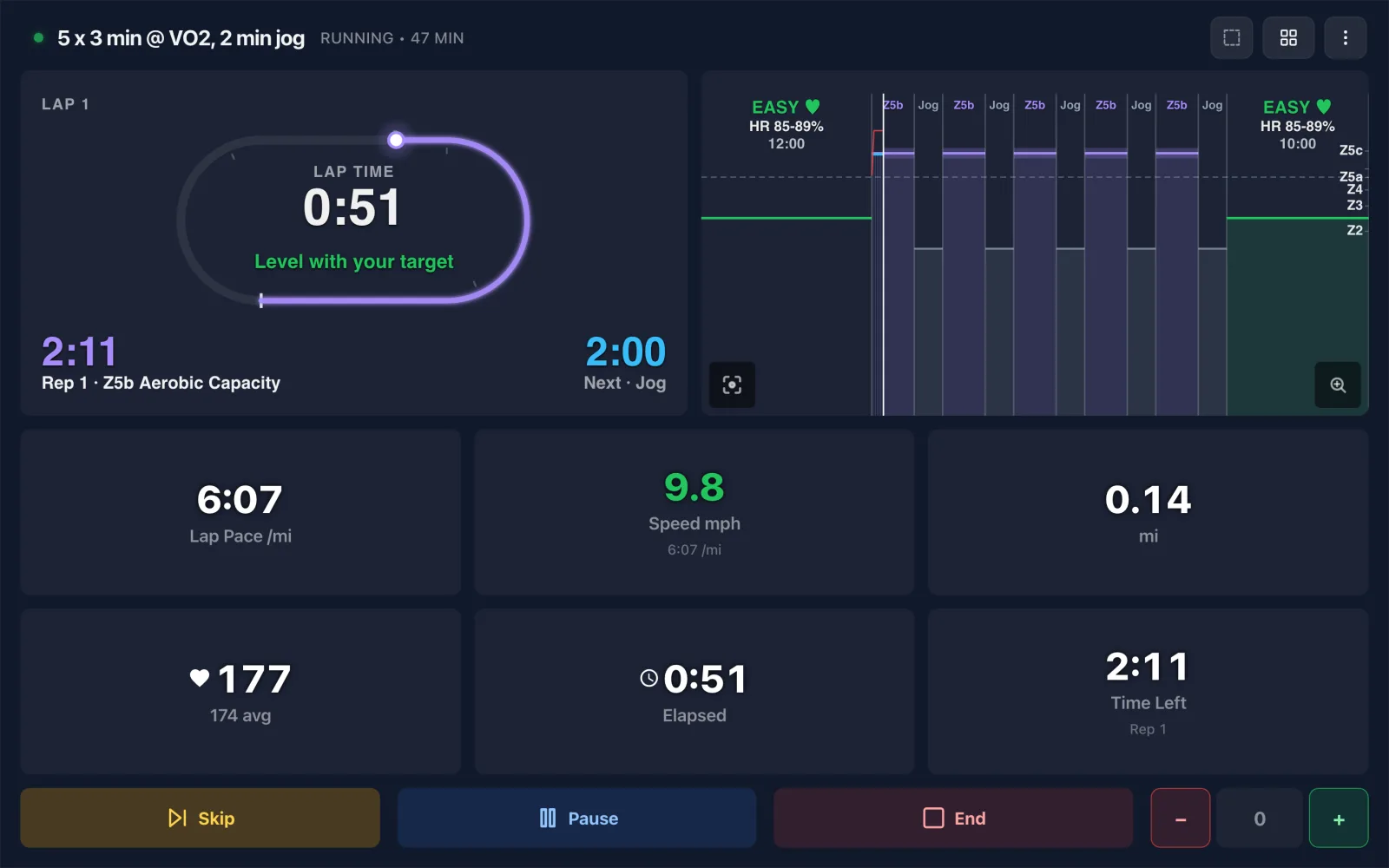
Running comes with eight views of its own. The default keeps it simple: the speed to set, the time left in the step, and what comes next. Pace Keeper shows your pace against the target band with a glow while you hold it. Track Night turns your run into laps of a 400 m track with a ghost runner on your target pace. Split Sheet shows every kilometre or mile as it lands, Race Day predicts your finish and your 5K, 10K, and half marathon, Rhythm pulses with your cadence, and there are detailed and hills views too. Running also has its own data fields for custom widgets.
Workouts, the way runners write them
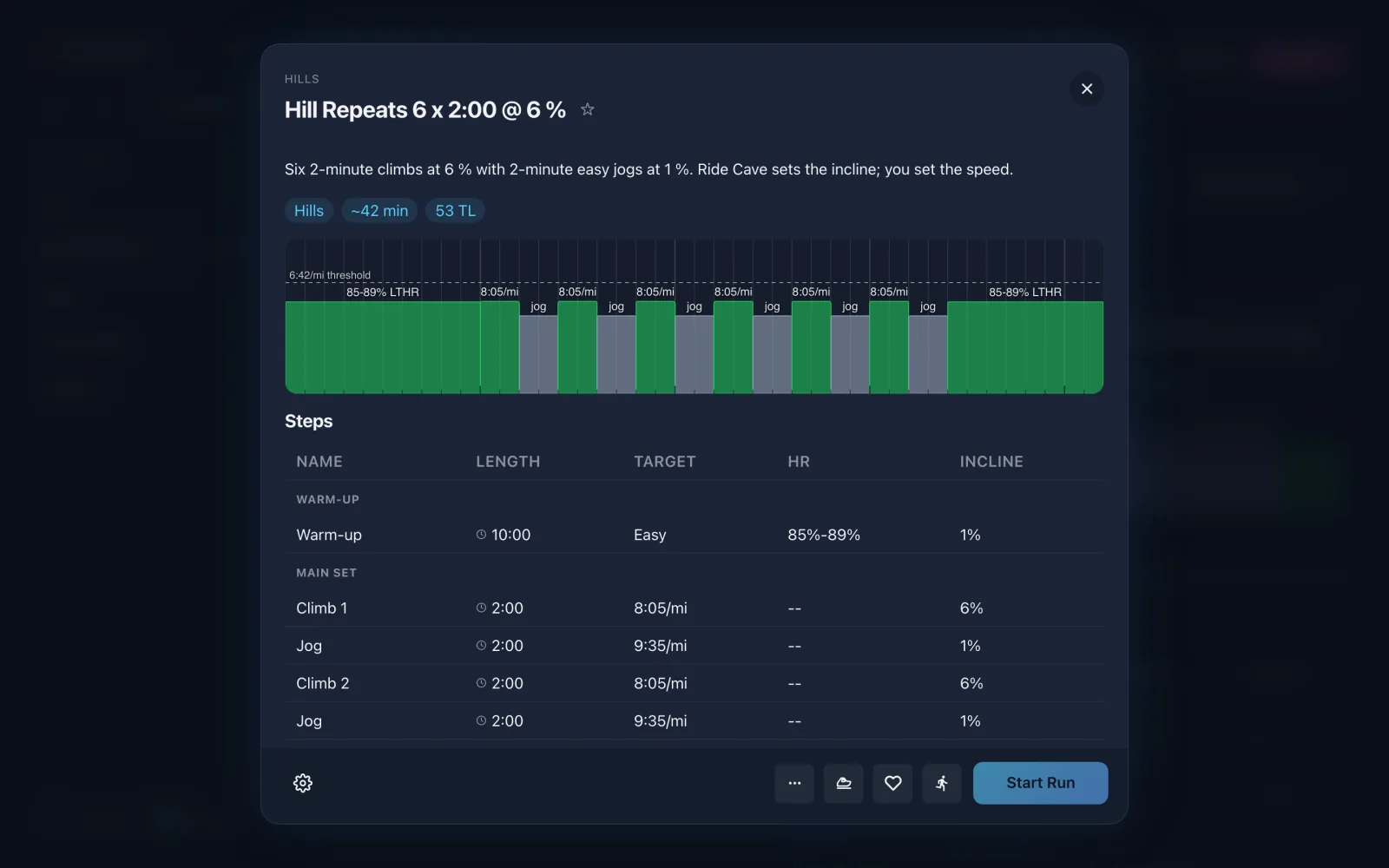
Start with the running library: 50 workouts, from run walk starters and easy runs to tempo, threshold, VO2 max intervals, hill repeats, long runs, and a threshold test. Browse them here.
Or build your own. Steps can be timed or measured by distance, targeted by pace, treadmill speed, or heart rate, and given an incline. Recoveries say what they are: a jog, a walk, or standing. Drag steps in the running builder, write them line by line in Turbo Builder, pick an Instant Run, or describe a session to Atlas and let it write the run for you.
Zones, a threshold test, and training load
Running gets its own threshold pace and threshold heart rate, separate from cycling, with Joe Friel's running pace zones built on them. Not sure of your numbers? Run the 30-Minute Threshold Test and Ride Cave suggests both, ready to save in one tap. Every run is scored for training load next to your rides and rows, by running power when you run with a Stryd and set your running critical power, and the Data Lab gets a running section with best efforts, pace in zone, steps, and work pace.
Sync with the apps you already use
Runs upload to Strava, Wahoo, and Intervals.icu, or download as FIT and TCX files. Running workouts can be sent to Wahoo and Intervals.icu, or exported as FIT files for your watch. Switch on Import all sports in Settings and the runs you record elsewhere come into Ride Cave too.
Not yet for running
| Feature | Where it stands |
|---|---|
| Auto Train and Training Plans | They do not plan runs yet. Your runs still count toward the fitness and fatigue they plan around, and you can schedule runs on the calendar yourself. |
| Group Rides and Ride Along | Running with others, or beside a past run, is still to come. |
| Garmin | Garmin Connect does not accept uploads from other apps, and sending running workouts to Garmin is not ready yet. Export a FIT file and add it yourself. |
Get started
Open Ride Cave, switch to Run, connect your treadmill or footpod, and pick a workout. Read more on the running page, and tell us how your first run goes.