Every Rowing Workout, Now on a Concept2 SkiErg
Connect a Concept2 SkiErg and every Ride Cave rowing workout plays on it, with your own SkiErg FTP, skiing stroke rates and a SkiErg section in Data Lab.
Ride Cave now skis. Connect a Concept2 SkiErg and every rowing workout in Ride Cave plays on it. Power and split targets come from your own SkiErg FTP, the stroke rates are translated for skiing, and your sessions get their own section in Data Lab. There is nothing new to learn: pick a rowing workout and pull.
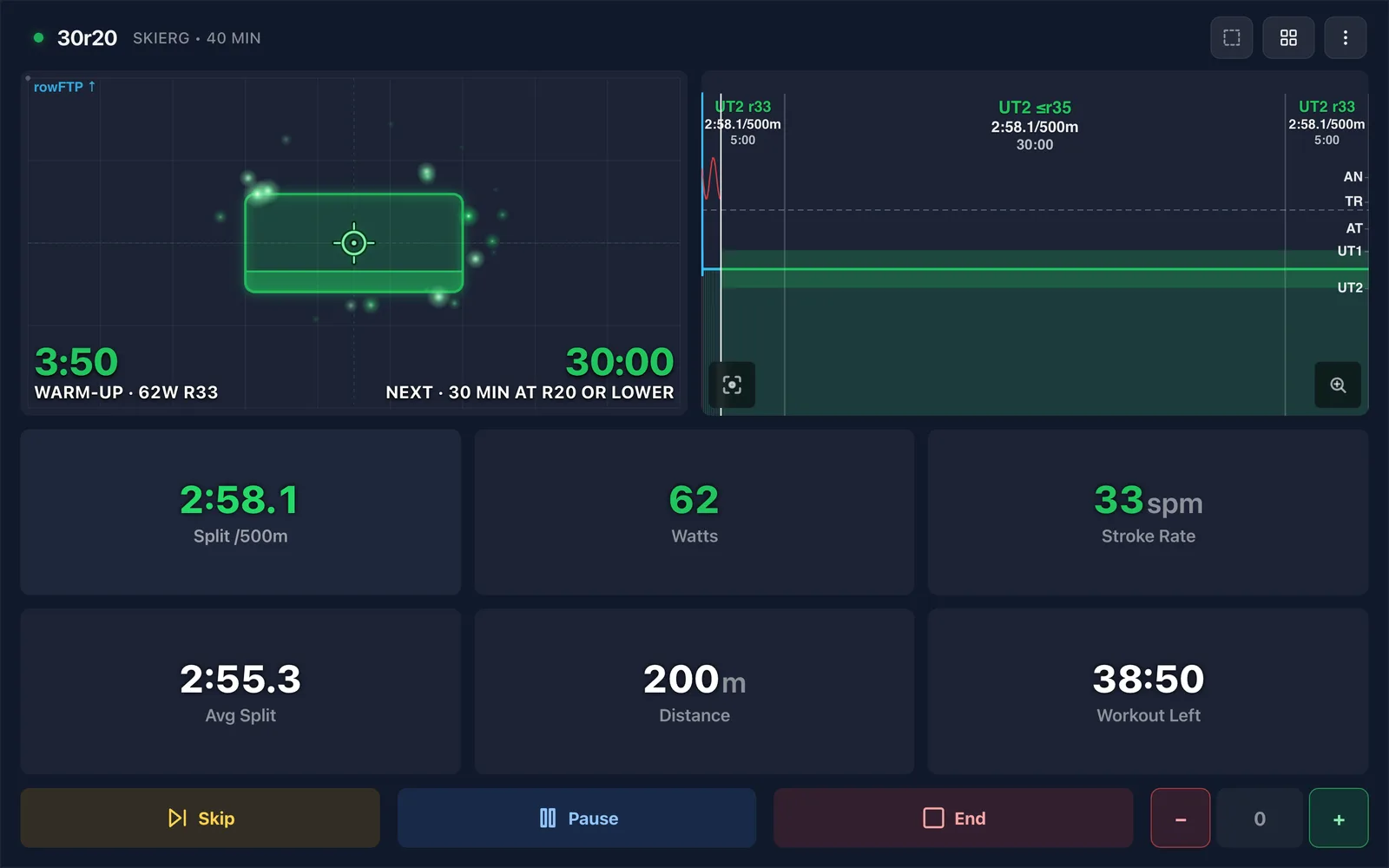
It knows it is a SkiErg
Pair the SkiErg PM5 the way you pair any rower, from the Rowing Machine card in Settings, under Devices. When a workout starts, Ride Cave asks the PM5 which machine it is on and switches to skiing by itself. You see Checking your Concept2 for a moment while it looks.
That check works over Bluetooth. On the Ride Cave desktop app over ANT+, the PM5 does not say which machine it is, so set Machine to Always SkiErg under Settings, Preferences, Rowing & SkiErg. Do the same for a ski erg from another maker, and set it back to Detect automatically when you switch machines.
Your SkiErg FTP
The same athlete is about 10% slower per 500 m on a SkiErg than on a rower, so the SkiErg gets its own FTP, under Settings, Athlete, in the Rowing group. Until you set one, Ride Cave uses 75% of your rowing FTP, or 150 W if you have no rowing FTP yet, and tells you which watts it is using when a workout starts.
To measure it, do the 2k Test, 5k Test or 6k Test on your SkiErg. Any open distance piece from 1500 m to 10000 m counts. Ride Cave works out your FTP the same way it does for a row, shows a SkiErg FTP Test Result, and offers to set your SkiErg FTP. Your rowing FTP stays as it is.
Stroke rates made for skiing
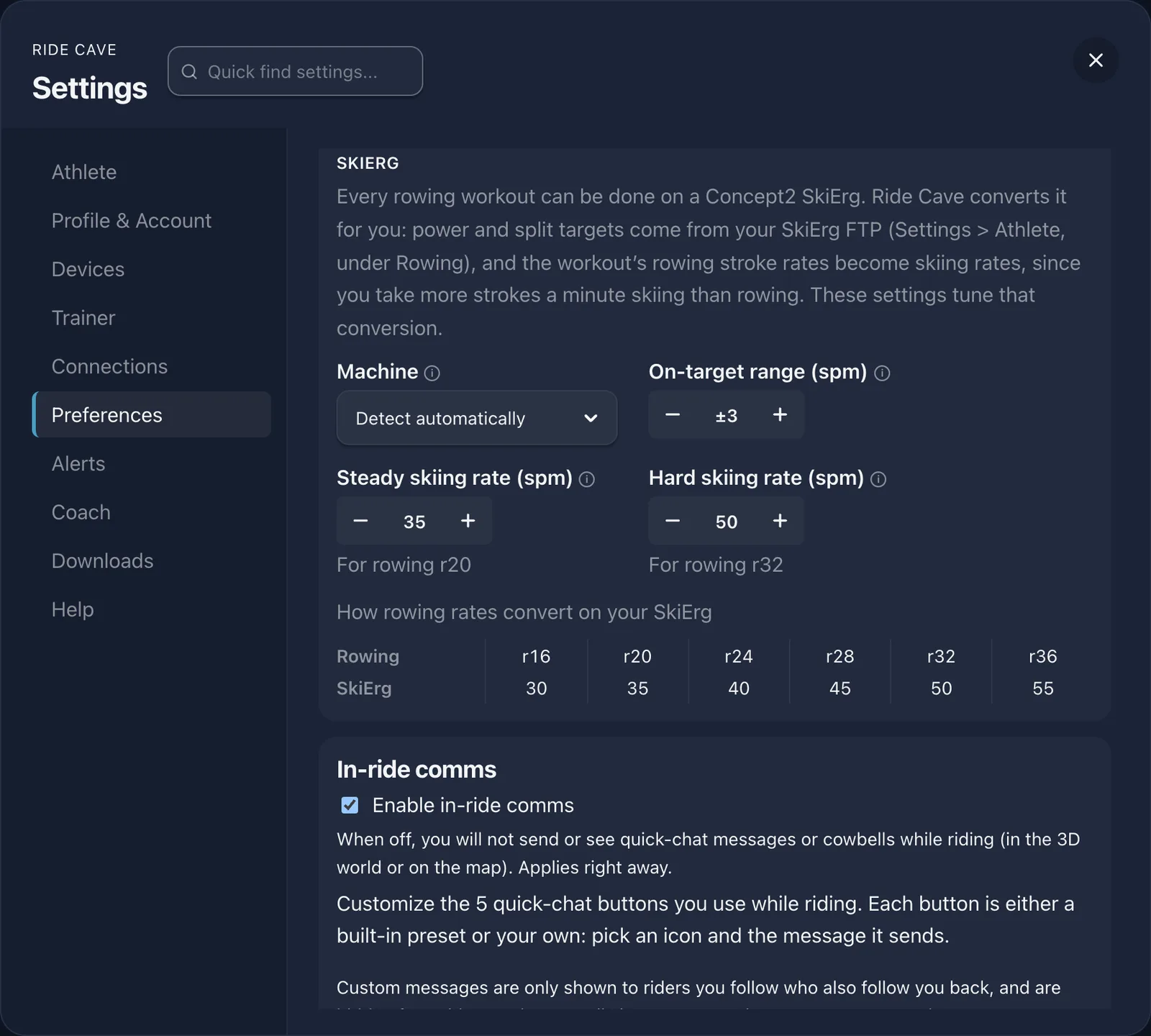
You take more strokes a minute skiing than rowing, so a rowing rate would be wrong on a SkiErg. Ride Cave translates every rate in the workout. By default, a rowing rate of 20 becomes 35 on the SkiErg and 32 becomes 50, with every other rate on the same line:
| Rowing rate (spm) | SkiErg rate (spm) |
|---|---|
| 16 | 30 |
| 20 | 35 |
| 24 | 40 |
| 28 | 45 |
| 32 | 50 |
| 36 | 55 |
You count as on target within 3 strokes a minute of the rate. All of this is yours to tune under Settings, Preferences, Rowing & SkiErg: your steady and hard skiing rates, the on target range, and a table that shows how every rowing rate converts on your SkiErg.
Your sessions, in the right places
SkiErg sessions upload to Strava as Nordic Ski, and FIT files mark them as cross country skiing. In Data Lab, SkiErg gets its own section once you have SkiErg sessions, and Compare shows SkiErg separately from rowing.
Get skiing
Look for the Plays on SkiErg too badge on the Ride Cave rowing workout library, grab the handles and pick a piece. New to rowing in Ride Cave? Everything else is on the rowing page.