
Group Rides: Pick a Route, Pick a Time, Roll Out Together
Post a Group Ride on any public eRoute, share it with a poster drawn from your route, and start up to 120 riders together from a real start line.
Riding with friends should not take a group chat full of logistics. Group Rides make it simple: pick a public eRoute and a time, share the link, and everyone meets on the same start line, up to 120 riders in a single ride. The clock counts down, the whole group rolls out on GO, and every finish lands in the official results.
Creating a Group Ride
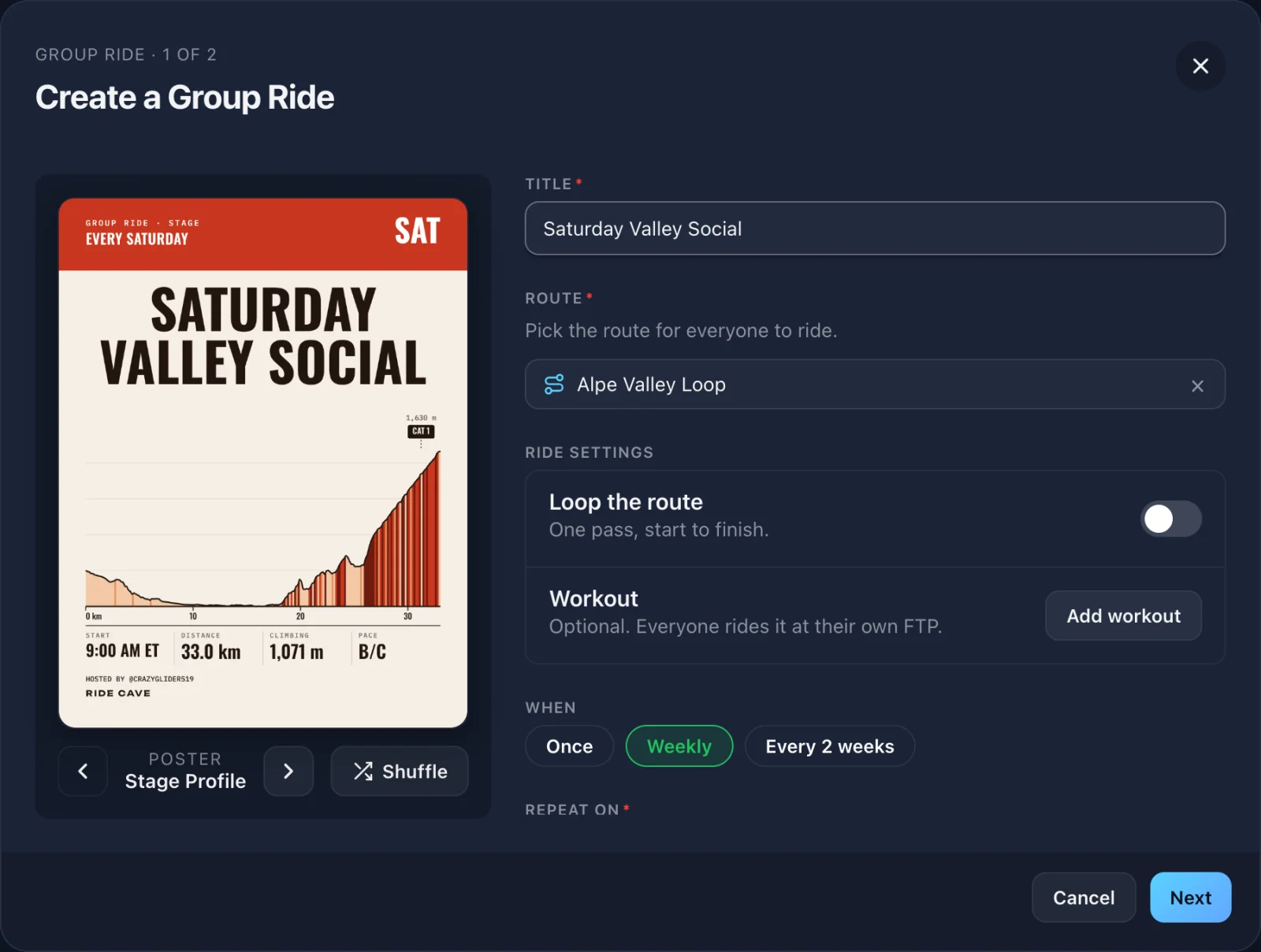
Tap Group Ride on Home to see your Group Rides and start a new one, or open any public eRoute and tap Host a Group Ride to bring that route with you. You can also add one from the plus button on any day in your calendar.
Give it a title and a start time, then choose how often it runs: once, weekly, or every 2 weeks, with an end date up to a year out. Turn on Loop the route to ride 2 to 50 laps, or add a workout that everyone rides at their own FTP. Under Advanced, mark the pace with one or more levels (A for the fastest down to D, plus S for social), flag it No-drop if the group waits for anyone who falls off, and set the time zone. Riders always see the start in their own time too.
A Poster for Every Ride
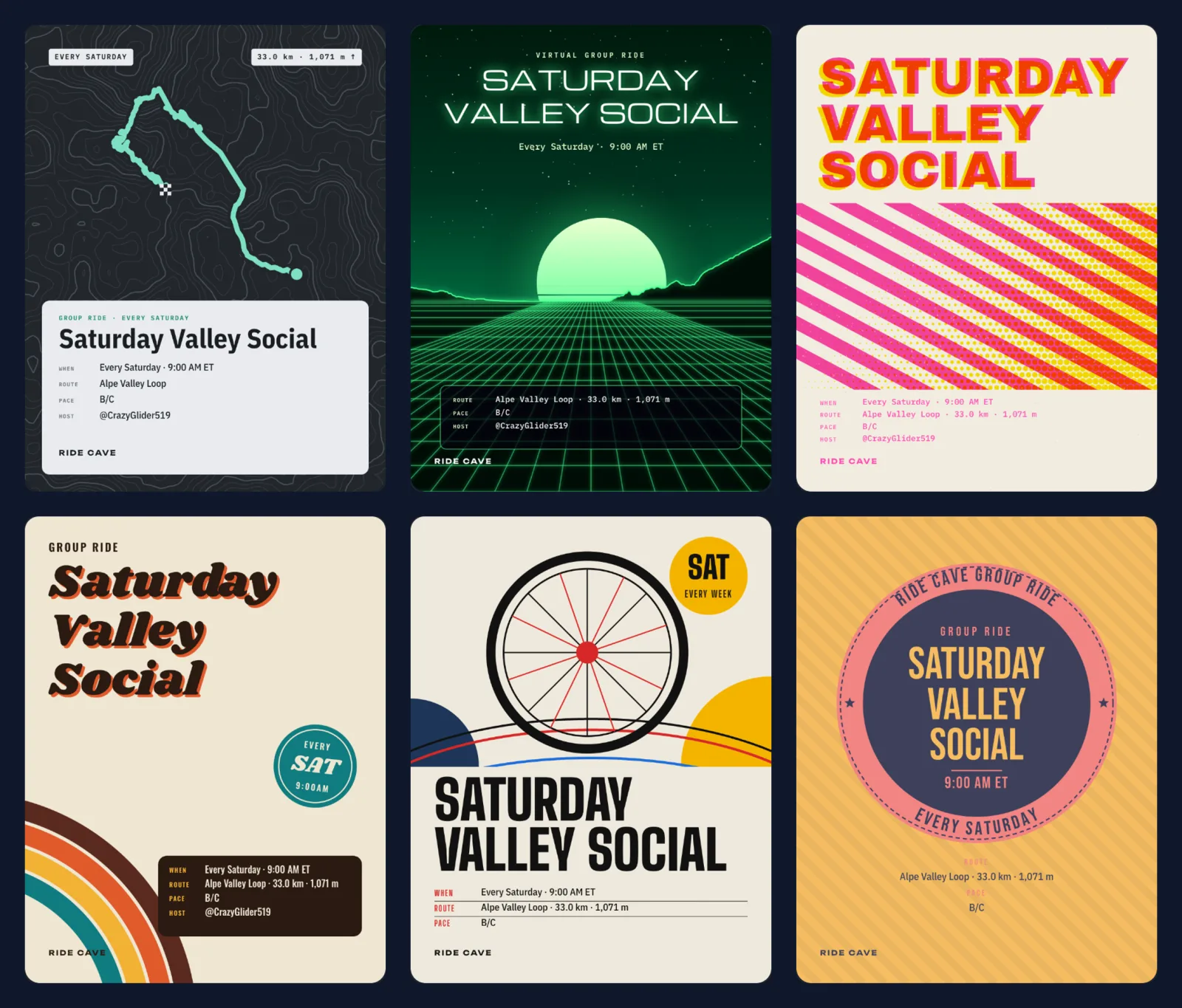
Every Group Ride gets a poster drawn from your route's real shape and climbs. There are 12 designs, from a Grand Tour stage profile and a topo map to a synthwave night ride, a seventies race poster, and a club patch. Use the arrows to browse them, or tap Shuffle for a fresh take on the same design. The poster shows on the ride's page and in link previews, and you can download it to share anywhere.
Sharing It
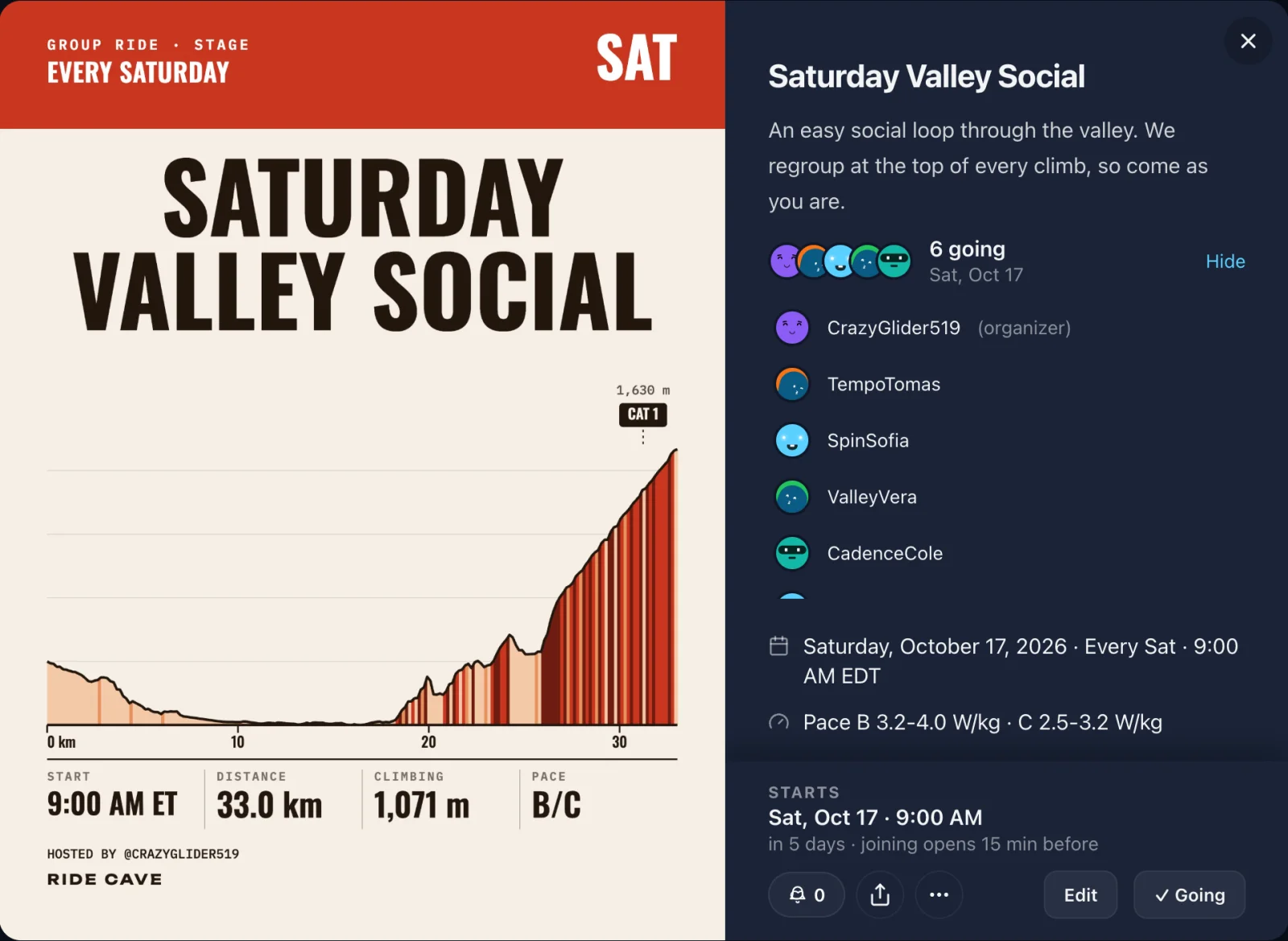
On the last step, choose where it goes. A public ride can be seen by anyone with the link. Post it to one of your clubs and it shows on the club's calendar; a private club keeps it to members. Group Rides are not listed in a global feed, so you decide who hears about it: the people who follow you see it in their feed, and the ride's page has buttons to share it on X, Facebook, or WhatsApp, send it by email, or copy the link.
Riders tap I'm going to RSVP. The ride lands on their calendar, and everyone can see who is coming. On a weekly ride, an RSVP is for the next date.
Ride Day
Joining opens 15 minutes before the start. Ten minutes out, the ride's tile on your calendar starts counting down, then switches to Live and Join. Connect your trainer or power meter, tap Go to the start line, and you are on the grid with everyone else.
In the 3D world, the countdown floats above the road just past a checkered line. In the last seconds it counts you down, and everyone rolls out together on GO, released on the same clock. Running late? You can still join for 30 minutes after the start and chase the group from the line. Prefer just maps and charts? Turn the 3D world off when you join and the countdown still runs.
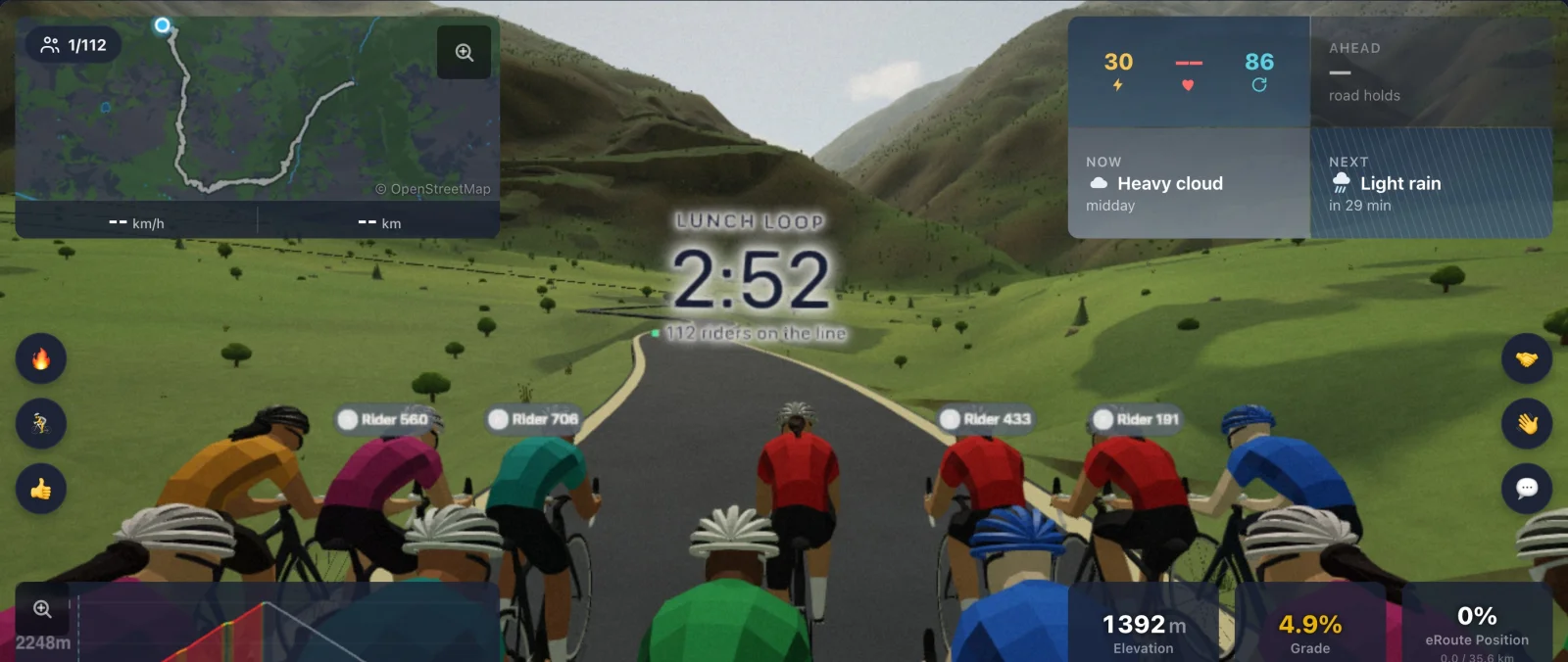
Once you are rolling, the group shares the road live. Sit on a wheel and the draft helps you (unless a workout is attached), send quick messages, and ring a cowbell for a friend. Each ride holds up to 120 riders. If it fills up, you can still ride the course on your own.
Official Results
Every finish is timed from the rider's own line crossing on the ride's shared clock, so the order is the same on every screen. When you finish, your ride summary opens on a Group Ride tab with the results. On a loop ride, the finish comes at the end of the last lap.
Running a Weekly Ride
A weekly ride can change from week to week without starting over. Choose to edit this ride or all rides. For a single date you can move it up to a week either way, change its route or start time, or cancel just that date while the series carries on. Riders see the change on the ride's page and on their calendar.
Group Rides, Group Workouts, and Clubs
Ride Cave has a few ways to ride with other people, so here is how they fit together. A Group Ride is a scheduled ride on an eRoute with a start line and results. A Group Workout is for riding a workout or a track session together right now, with live voice chat; start one from Actions on Home. And Clubs bring it all together: a club's calendar holds its Group Rides alongside outdoor rides, races, and other events.
Getting Started
Group Rides are free for every rider. You need to be signed in, with a birthdate on your profile so the right chat rules apply. Open any public eRoute, tap Host a Group Ride, and send the link. More on the Group Rides page.