Shift With Shimano Di2 and SRAM AXS in Ride Cave
Shift your virtual gears with Shimano Di2, SRAM AXS and more, through the BikeControl app or any OpenBikeControl device.
If your bike has Shimano Di2 or SRAM AXS, your hands already know how to shift. Now they can shift in Ride Cave too, through an app called BikeControl.
What BikeControl is
BikeControl is a companion app from OpenBikeControl UG, an independent company in Germany. It reads the shifters and buttons you already own, including Shimano Di2, SRAM AXS and eTap, Zwift Click and Play, and gamepads, and passes your presses on to training apps. It runs on iPhone, Android, Mac and Windows. It is a paid app with a free trial: see BikeControl pricing for what each plan includes.
BikeControl talks to training apps through OpenBikeControl, an open protocol any app or hardware maker can use. Ride Cave speaks it, so a controller that has OpenBikeControl built in connects to Ride Cave directly, with no app in between.
How to set it up
BikeControl connects to Ride Cave over Bluetooth, and a device cannot connect to itself over Bluetooth, so the two run on different devices. Usually that means BikeControl on your phone and Ride Cave on your computer, in Chrome or Edge or the Ride Cave desktop app. BikeControl is not currently supported in the Ride Cave phone apps.
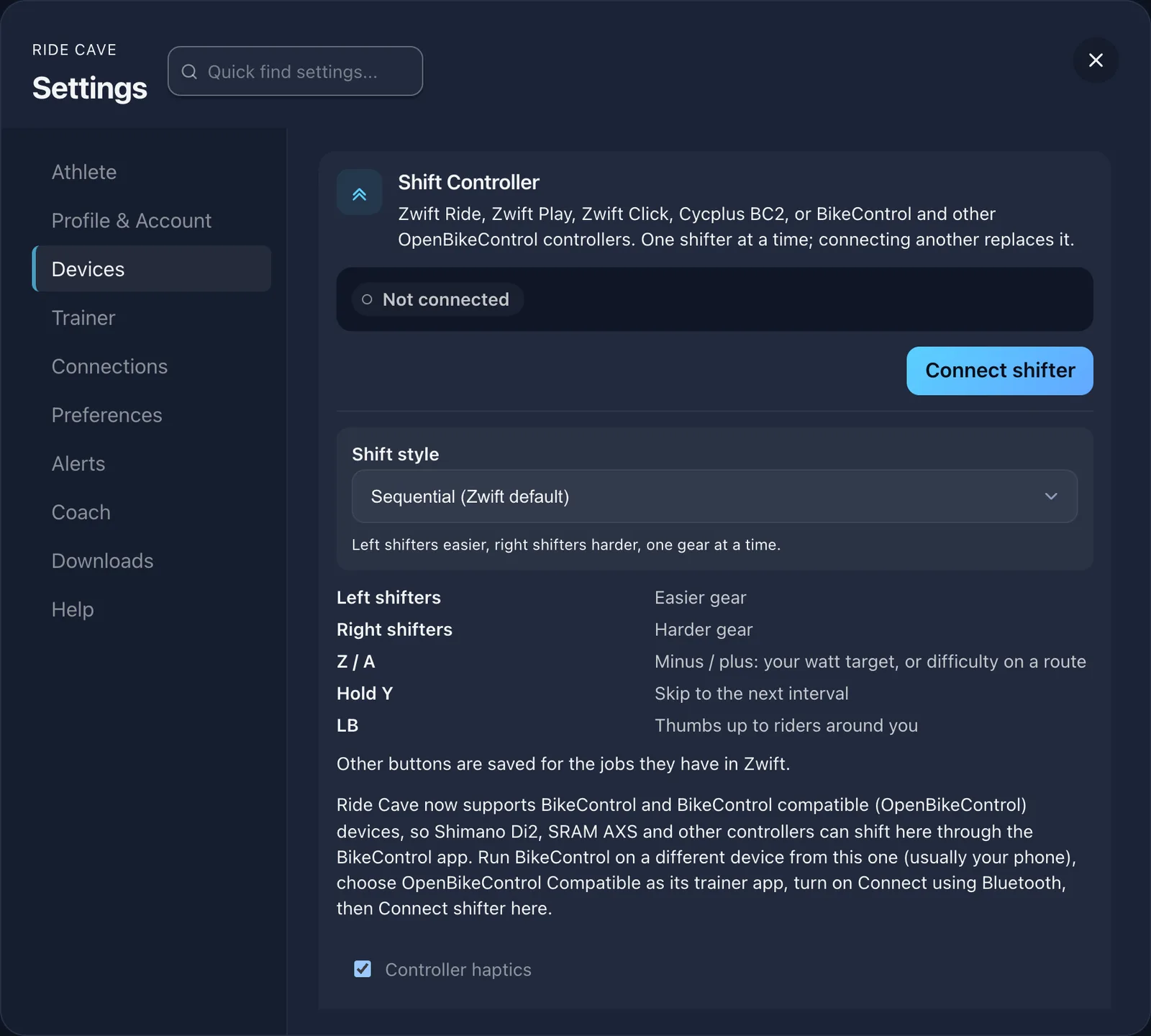
First, install BikeControl and pair your shifters in it; its setup guides cover each brand. In BikeControl, choose OpenBikeControl Compatible as your trainer app and turn on Connect using Bluetooth. Then in Ride Cave, open Settings, Devices, Shift Controller, tap Connect shifter and pick it from the list. An OpenBikeControl device connects from the same button.
What your buttons do
BikeControl decides which of your buttons sends which action, and Ride Cave carries the action out:
| Action | In Ride Cave |
|---|---|
| Shift up, Shift down | A harder or easier gear. |
| Gear set | Jumps straight to that virtual gear. In ERG there are no gears to set, so it rests. |
| Increase or decrease difficulty | The plus and minus on screen: your watt target in a workout, trainer difficulty on a route. |
| Skip interval | The next interval. It never ends a workout. |
| Pause, Resume | Pauses or resumes your ride. |
| Emote | Sends your first quick chat button, the one you set under Settings, In-ride comms. |
On the track, Pause does nothing, and in track races and skills the plus, minus and skip do nothing either.
Good to know
The BikeControl app itself cannot vibrate. An OpenBikeControl controller with a vibration motor buzzes once when a skip, pause or quick chat lands, and twice when you reach your easiest or hardest gear or the limit of the plus and minus. Turn that off with Controller haptics on the Shift Controller card.
Ride Cave connects one shifter at a time, so connecting BikeControl replaces a Zwift controller or a Cycplus BC2. Controllers sleep when idle: press a button to wake one and Ride Cave reconnects it.
Getting started
Set up BikeControl on your phone, connect it from Settings, Devices, Shift Controller, and go for a ride. Riding a Zwift Ride, Play or Click instead? Our Zwift controllers guide covers every button. Questions? Ask Atlas at support.ridecave.com.